1
Desk & office
Logitech MX Keys S angled tray
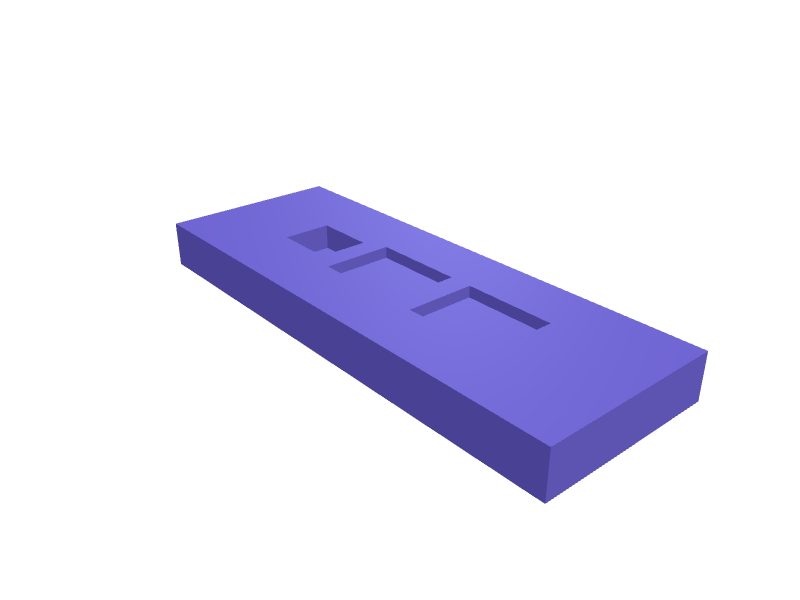
A 6 degree tray that parks an MX Keys S (about 440 × 130 × 20 mm) so the front edge matches an MX Master. The well is 442 × 132 mm with 0.4 mm clearance, a 14 mm USB-C slot at the back, and the plate is 450 × 145 × 22 mm. Print as two PLA halves with 1.6 mm walls. Describe your measurements and SpeakCAD builds it with AI (credits), then download STL, 3MF or sliced G-code.No ready-made model yet: building it uses credits (4 credits for the part on a plan, its first 3 small changes free; Maker: 50 credits a month for $7.99, cancel anytime).Updated
No ready-made model for this part yet
Sign in and SpeakCAD builds it from the prompt below (4 credits for the part on a plan, its first 3 small changes free; Maker: 50 credits a month for $7.99, cancel anytime). Want to try the editor first? The live demo is free, no account.2
Adjust
Change its numbers in the viewer for free, or ask the AI for a change in the chat (2 credits for a small change, 1 for a quick edit, 3 for a redesign; the first 3 small changes are free on a plan).3Print
Download a watertight STL or 3MF, included in every plan (4 credits without one), or G-code sliced for your printer at the same price.
Example prompt
Design an MX Keys S tray 450×145×22 mm, 442×132 mm well at 6 degrees, 14 mm USB-C slot, two PLA halves, 1.6 mm walls.
Fit notes
The MX Master 3S and Master 4 stands are for the mouse. In SpeakCAD you confirm Keys S vs Mini, preview the tray in the browser, then download the STL.
Questions people ask about a Logitech MX Keys S angled tray
A 6 degree tray that parks an MX Keys S (about 440 × 130 × 20 mm) so the front edge matches an MX Master. The well is 442 × 132 mm with 0.4 mm clearance, a 14 mm USB-C slot at the back, and the plate is 450 × 145 × 22 mm. Print as two PLA halves with 1.6 mm walls.
There is no ready-made model for this part yet. Click Build it with AI and sign in: the example prompt on this page is filled in, and SpeakCAD builds the part from it in your browser (4 credits for the part on a plan, its first 3 small changes free). Change any number in the viewer for free, then download a watertight STL or 3MF, included in every plan (4 credits without one), or G-code sliced for your printer at the same price. Start with Maker: 50 credits a month for $7.99, cancel anytime.
SpeakCAD builds it to your measurements from the example prompt on this page: the part uses 4 credits on a plan, its first 3 small changes free (3 without a plan), and a small change after them 2, then the STL or 3MF download is included in every plan (4 credits without one), or G-code sliced for your printer at the same price. Start with Maker: 50 credits a month for $7.99, cancel anytime. To try the editor before paying, the live demo is free, no account.
A shared STL is modelled for someone else's measurements. SpeakCAD builds this part to the millimetres you give it (AI requests use credits), so the file you download is sized for the part you actually own.
Yes. SpeakCAD slices the part on its servers with OrcaSlicer and your printer's official profile (380+ printers, including Bambu Lab, Prusa, Creality and Elegoo), and you download the G-code (a sliced .gcode.3mf for Bambu Lab printers). G-code sliced for your printer costs the same as the STL: included in every plan, free for a part you shaped by hand, 4 credits without a plan for a part with AI work in it. Pick your printer on the printers page to see its profile.
No. SpeakCAD runs in the browser on your phone or computer: the chat, the 3D engine and the live viewer load in the tab. The only file you download is the finished STL, 3MF or sliced G-code.
Print it your way
More desk & office
MagSafe, Apple Watch and AirPods trio standReady-made, opens free. A nightstand stand that holds a MagSafe puck at 60 degrees, an Apple Watch Ultra / Series puck in a 28 mm bore, and an AirPods 4 case in a 52 mm well.Magic Keyboard with Numeric Keypad angled trayReady-made, opens free. A 6 degree tray for the Magic Keyboard with Numeric Keypad (about 418 × 115 × 11 mm) so the larger board matches a Magic Trackpad wedge.Quad Lock desk dock stand with USB-C cable slotReady-made, opens free. A desk stand with a Quad Lock style twist-lock recess on a 60 degree face, so a phone in a Quad Lock case clicks on in portrait or landscape and charges thro…Focusrite Scarlett 2i2 4th Gen angled desk standReady-made, opens free. A desk stand that tilts a Focusrite Scarlett 2i2 4th Gen or Scarlett Solo (the 2i2 is 180 x 47.5 x 117 mm) back 25 degrees so the gain halos and Air button f…Kindle Scribe 2025 folio desk easelReady-made, opens free. A low easel that holds a Kindle Scribe (2025, about 230 × 196 × 6 mm) in its folio at 25 degrees for note-taking, with a 198 mm ledge and a 10 mm pen well al…Audient EVO 4 mic-stand clampReady-made, opens free. A clamp that hangs an EVO 4 on a 15–25 mm mic stand so the interface sits next to the mic.