The most intuitive CAD for 3D printing. Right on your phone.
Own a 3D printer? Make the part that fits. Tap a face, type a size: holes, cuts and tabs by hand, free. Or describe the part to the AI. Then download an STL, 3MF or G-code for your printer.
Messages people sent us in the chat on this site and through the in-app feedback form. Typos fixed and long ones trimmed, nothing reworded.
The AI input on my verbal design idea was SPOT ON! I loved how easy it was to modify and make changes to the build. … The end result was WAY better than I hoped. Flawless print, to my specific printer's specifications. Two thumbs WAY UP! I'm sharing this with everyone!
I have had this idea for a long time and using CAD tools manually would take up too much time that I don't have. SpeakCAD has made it in about 10 minutes total. … So easy to use and correct. Love it! Best AI tool so far.
This is pretty amazing for sure. I took 2 pictures and boom, I have a part.
First, LOVE SpeakCAD. It's great. Learning about fill, branches, supports has been interesting.
I printed 2 items from basic dimensions I gave. I typed what I wanted it to look like and the program generated exactly what I asked. I downloaded the STL and printed with my factory Anycubic ABS settings and it printed perfectly.
It is great and very user friendly. I am a beginner and am able to create many designs I wouldn't be able to otherwise.
It works well, it even understood my basic descriptive information. Quite impressed. I tried editing the STL myself but came unstuck, so this has saved me hours. Thanks!
It is simply great. What a superb job you have done making this software.
Using this software makes me realise how much about engineering parts I know naturally. Coming to conclusions myself and then discussing them with the software to confirm my observations are correct. So good, so very, very good!
So far the AI is great and works really well, has done everything correct so far, and I am really enjoying it.
Estou adorando utilizar a plataforma, muito fácil, os projetos saem como desejado e dão certo a impressão. Eu super indico!
This software is absolutely genius! Love it so much.
Overall works well. … Definitely a great tool.
I took some photos of my print build. … This thing is AWESOME!
At this point this AI tool is very useful and amazing.
Seen on YouTube
Makers tried it on YouTube
3D printing channels designed real parts with SpeakCAD and printed them. Watch here or on YouTube.
This is the real editor with a real, print-ready part already generated from the prompt in the chat. Tap a face and add a hole, a cut or rounded corners with the hand tools, click a number and type another, or ask for a change in plain English (“make the lip 4 mm taller”), and watch it rebuild in your browser, on your phone as well as here. The hand tools are free here and in a free account; the demo runs the AI on the quick model with 3 free AI edits, and your own AI parts, the stronger models and uploads come with credits, from Maker at $7.99 a month, downloads included.
Live demo
Want more room? The demo also has its own page. Everything you see is compiled in your tab with OpenSCAD; nothing about you is stored.
How it works
Tap it or type it. See it. Print it.
Three steps from idea to printer, and every one of them happens in a browser tab, on the phone in your pocket as much as on a laptop. There is no software to download or install, not even a slicer: the only files that ever leave SpeakCAD are your finished STL, 3MF or G-code. A typical functional part, with a couple of edits and a dimension check, is a downloaded file in about 10 to 15 minutes.
Step 1
1
Pick a starter or type what you need
Open SpeakCAD in your browser, nothing to install. Start from a box, a plate, a cylinder or a tray and shape it with the hand tools, or describe the part: what it does, its dimensions, what it fits. Attach a photo or an STL, or photograph an object next to a ruler to duplicate it.
Step 2
2
See it render live
A hand edit rebuilds the model in about a second; an AI answer usually renders within a minute or two, right in the tab, on a virtual print bed. Rotate it, check the dimensions, tap a face to add a hole or ask for changes; small edits land in seconds.
Step 3
3
Download and print
Export STL or 3MF for your slicer, or G-code already sliced for your printer (at the price of the STL), and print. When the part must fit a real object, print the free five-minute fit coupon first: it tells you, and SpeakCAD, how your printer prints.
In ChatGPT and Claude
Already talking to ChatGPT or Claude? Design the part right there.
SpeakCAD works inside ChatGPT and Claude as a plugin (an MCP server): ask the assistant for a part with its measurements and SpeakCAD's own CAD AI designs it, shows it in 3D in the chat and hands over a print-ready STL, 3MF or G-code sliced for your printer. Same account and credits as on the site, and the part opens in the full editor in one click.
Have the part in your hand? Photograph it next to a ruler.
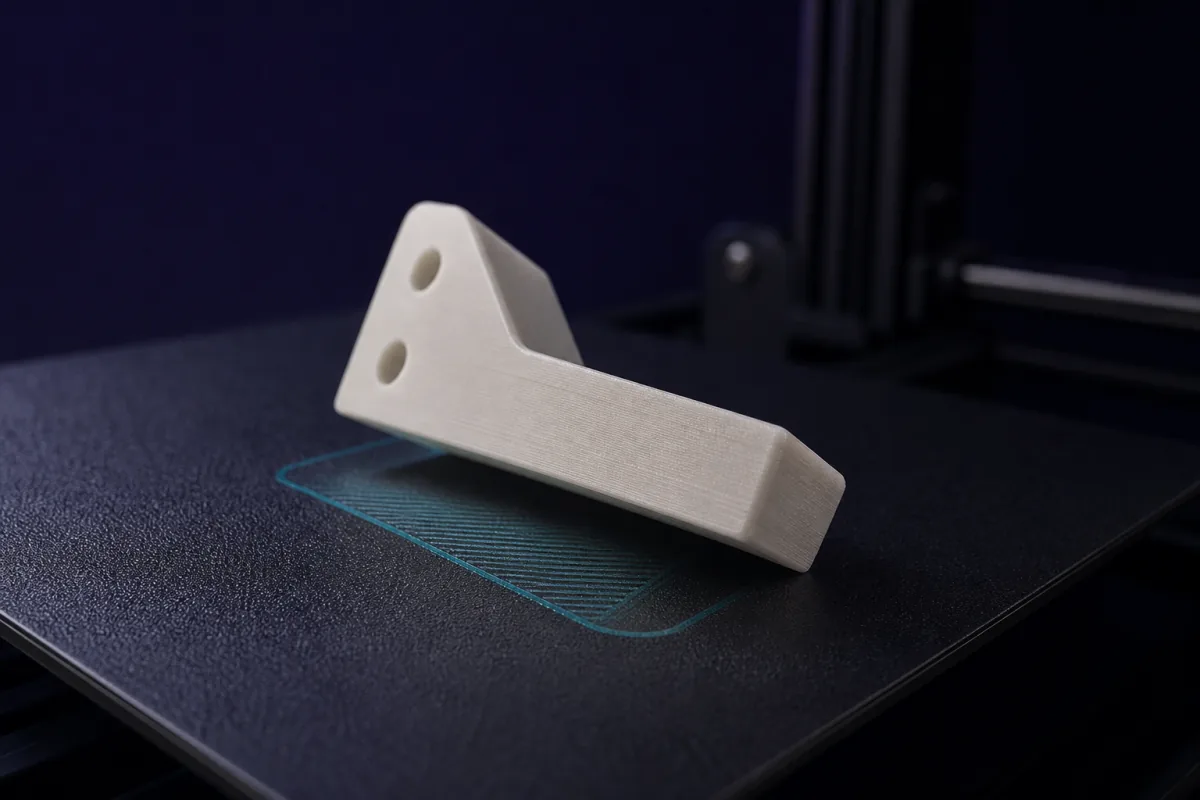
A broken clip, a missing knob, a foot that fell off: put it next to a ruler, take a top view and a side view with your phone, and say what it is. The AI reads the ruler for scale and builds a parametric copy, so you can thicken the tab that snapped before you print it.
Top viewSets length and width. Ruler on the same plane, phone straight above.
2
Side viewSets height and profile. Phone level with the table.
3
One sentenceWhat it is and what it must fit. One measured size makes the copy exact.
Features
Everything a functional print needs, nothing you have to learn
Built for brackets, enclosures, replacement parts, organizers and every other object that has to fit something.
Say it or shape it
Describe the part in plain English, sizes, purpose, what it attaches to, and the AI builds it. Or pick a starter and shape it yourself with the hand tools. One editor, both ways.
Hand tools that stay in millimetres
Tap a face: a hole with its screw head, a pocket cut out, a tab added, raised or engraved text, a flat face pulled out or pushed in, the corners of the part rounded, or a measurement between two points, and any hole, cut, tab or text copied in a row, a grid or a circle. Every size and position is typed, nothing is dragged. Free.
Live 3D preview
Each answer compiles and renders right in your browser tab. Orbit, zoom, check dimensions and volume.
Edit by chatting
“Make the walls 2 mm thicker.” “Add a cable slot underneath.” Each request updates the design in place.
Fit Check: parts that fit the first time
The AI spots the part that must fit a real object and cuts a five-minute test slice of it. Tell SpeakCAD how it fitted and it learns your printer.
Duplicate an object with your phone
Photograph a part next to a ruler, top and side. The AI reads the scale and models a copy you can adjust before printing.
Each model below was generated from the prompt shown.
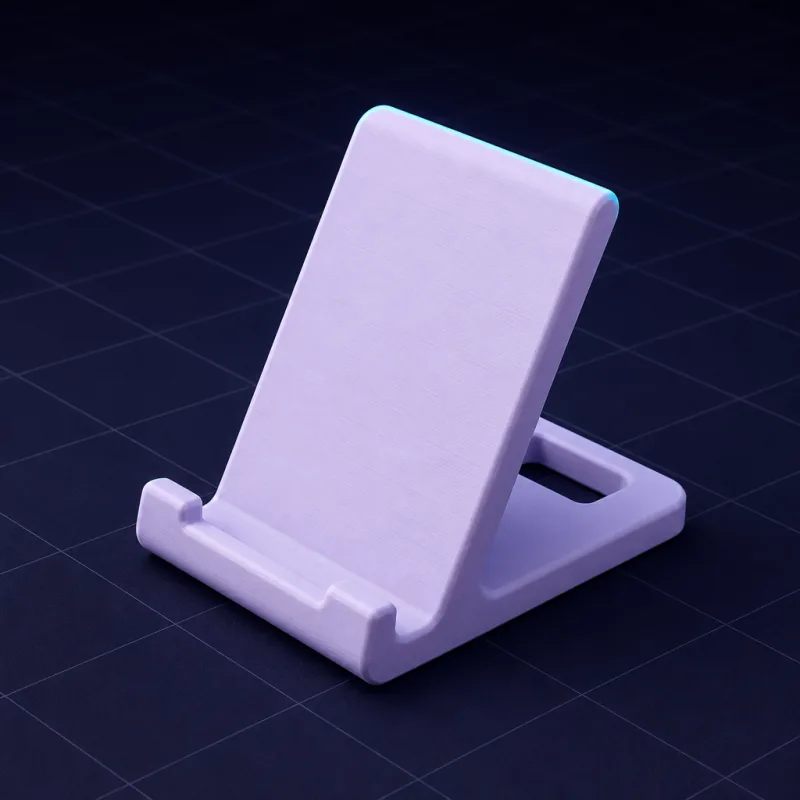
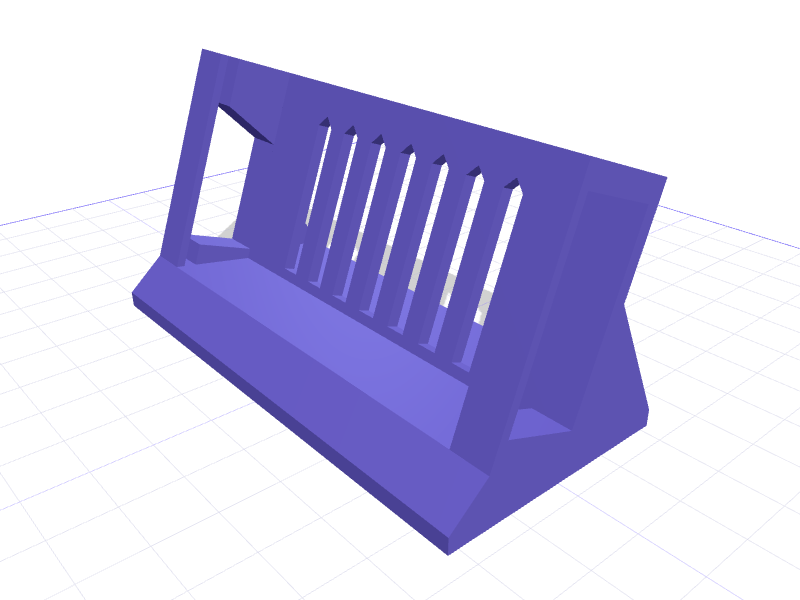
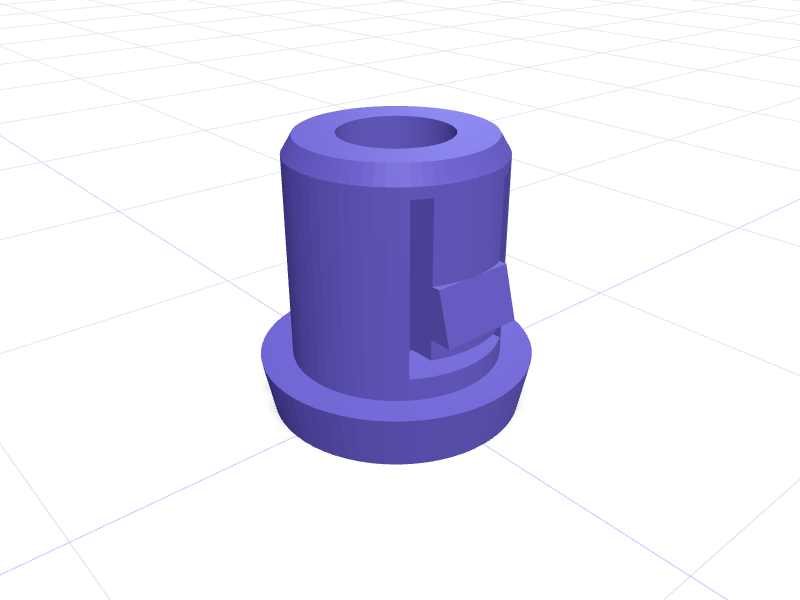
Angled phone stand“A phone stand for a 75 mm wide phone, 60° viewing angle, with a slot underneath for the charging cable.”More like this →
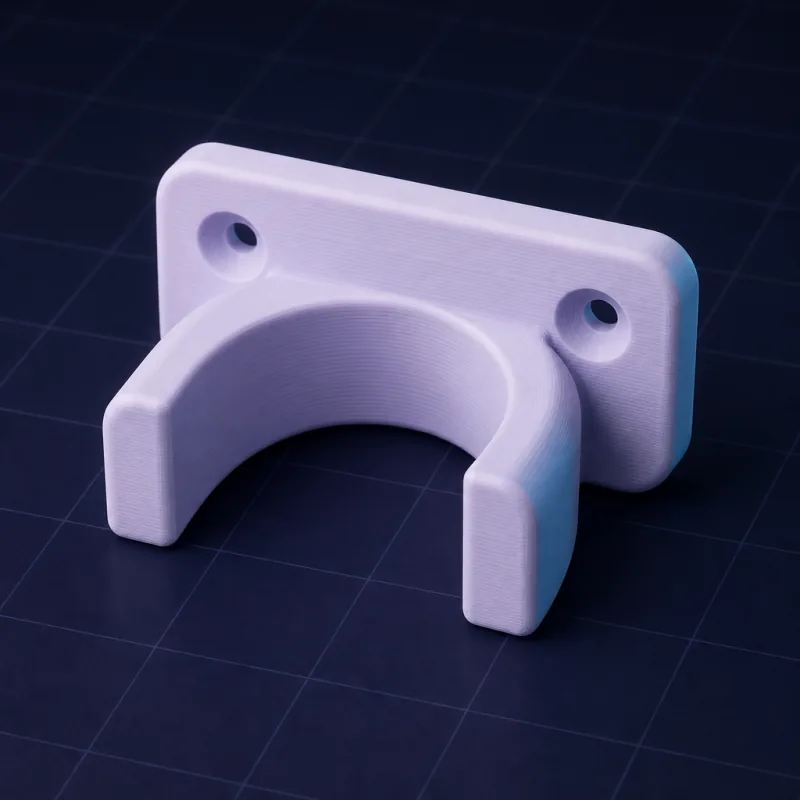
Wall bracket for a 32 mm pipe“A wall bracket that holds a 32 mm pipe, two countersunk M4 screw holes, 4 mm walls, rounded edges.”More like this →
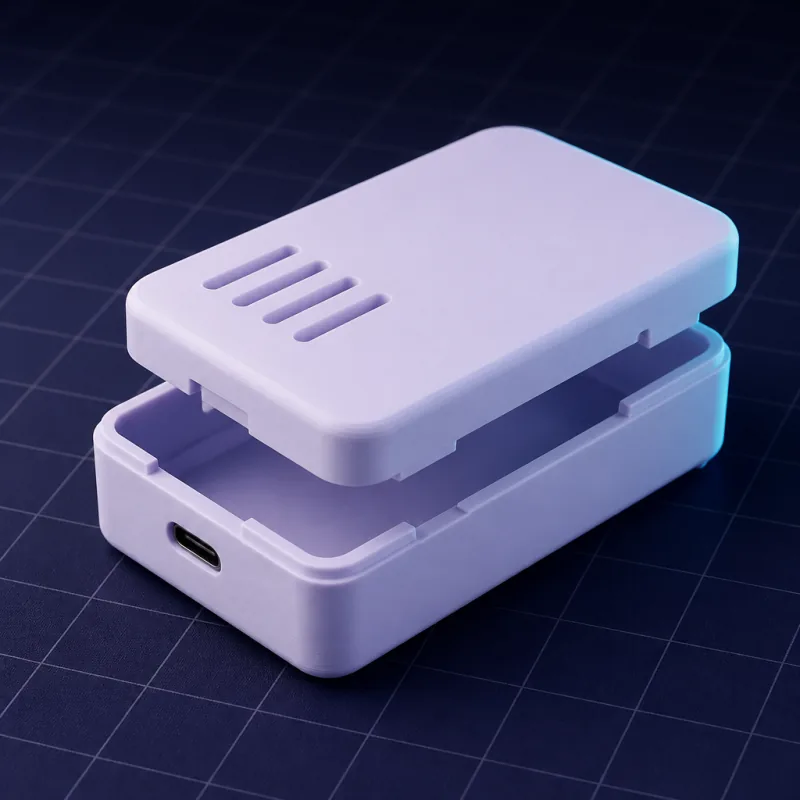
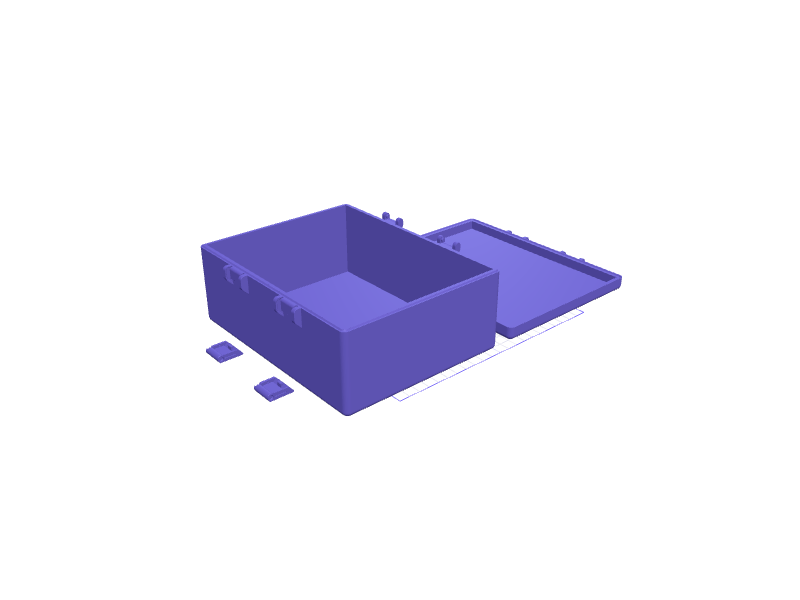
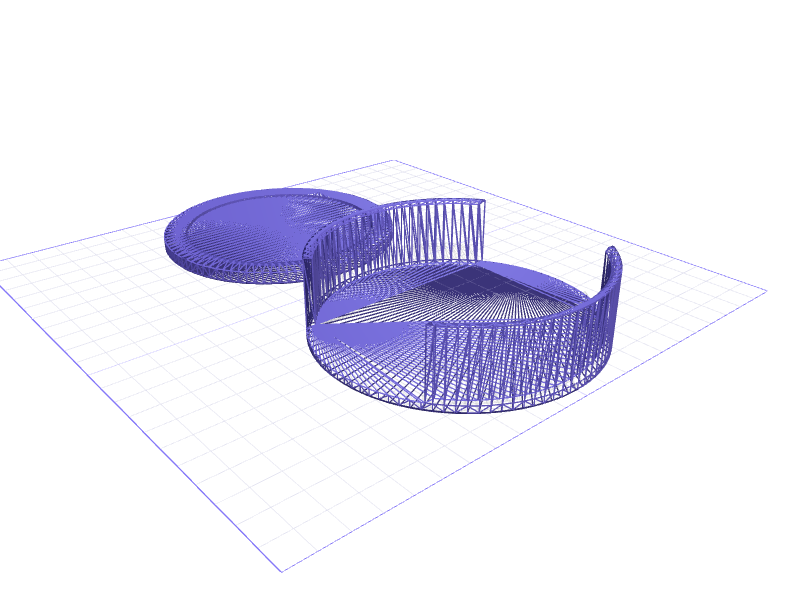
Snap-fit electronics enclosure“A two-part enclosure for a 65 x 30 mm PCB, 12 mm tall inside, snap-fit lid, USB-C cutout on the short side, four vent slots.”More like this →
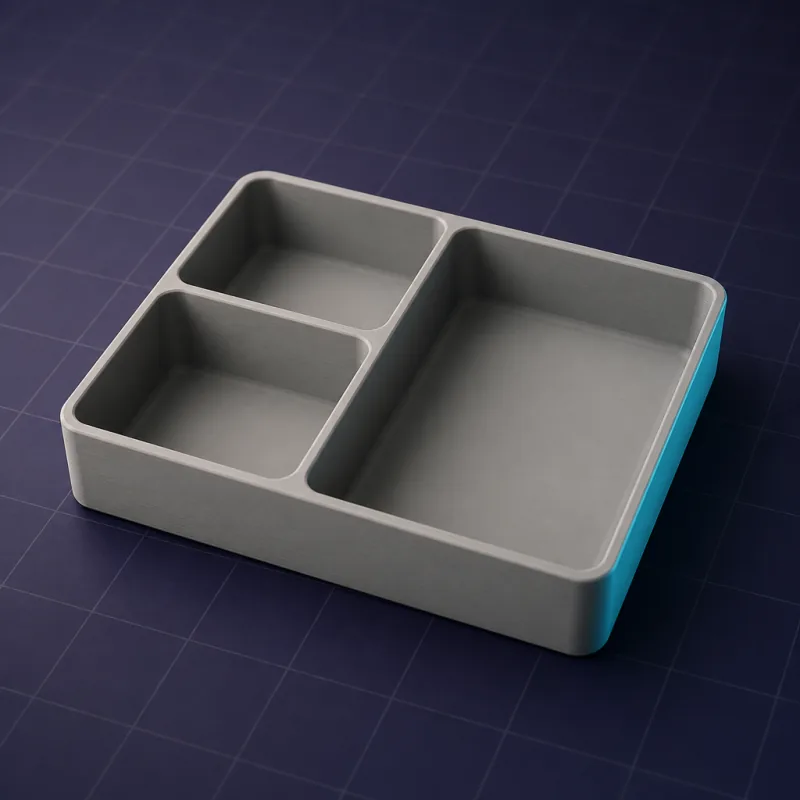
Modular drawer organizer“A drawer organizer, 150 x 100 x 40 mm, with three compartments in a 1:1:2 ratio and 1.6 mm walls.”More like this →
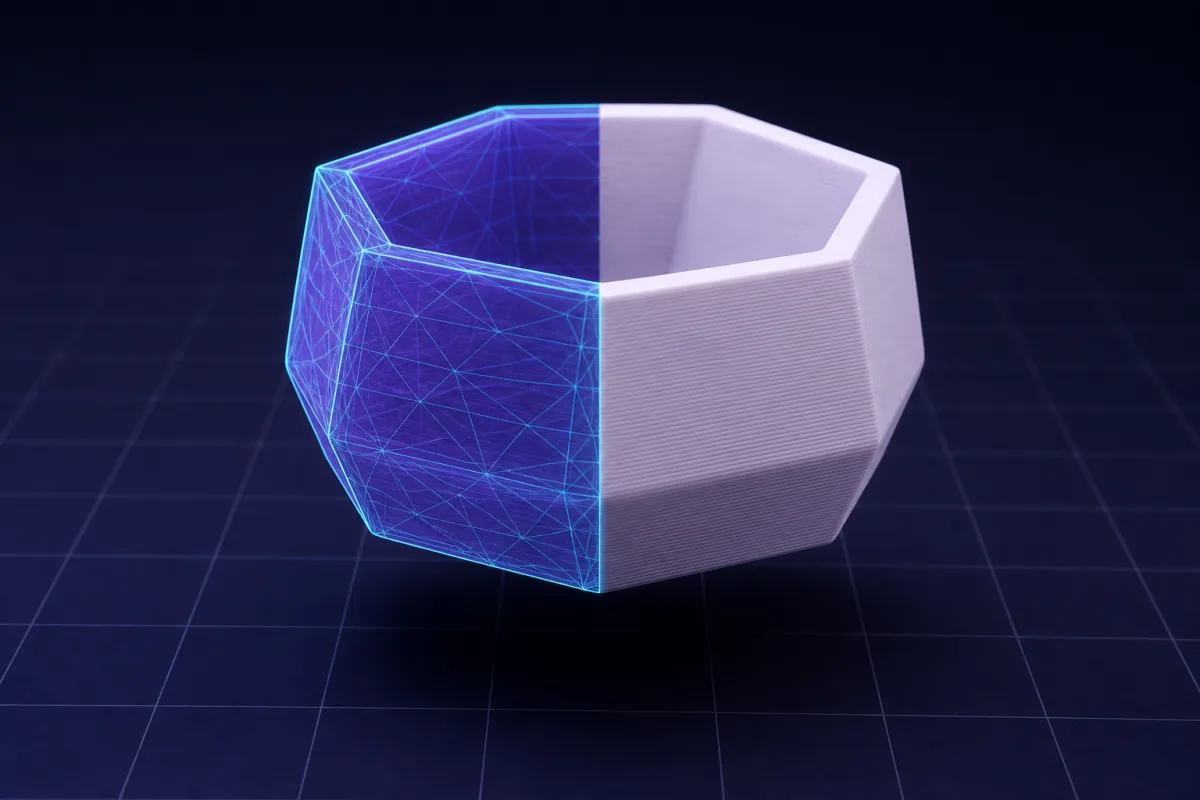
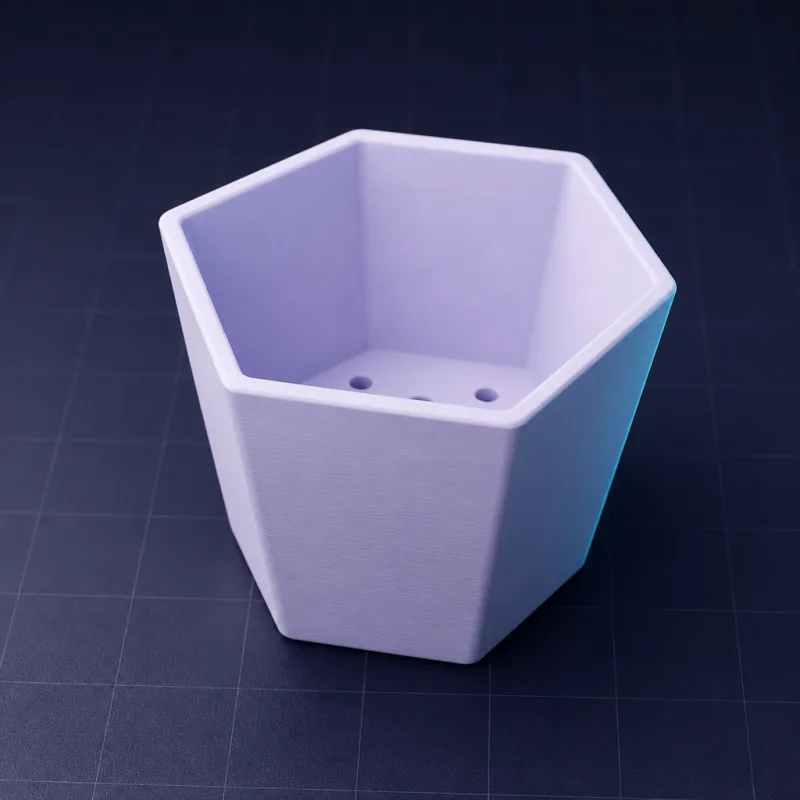
Hexagonal planter with drainage“A hexagonal planter 90 mm across and 80 mm tall, 2.4 mm walls, three 6 mm drainage holes, slight taper.”More like this →
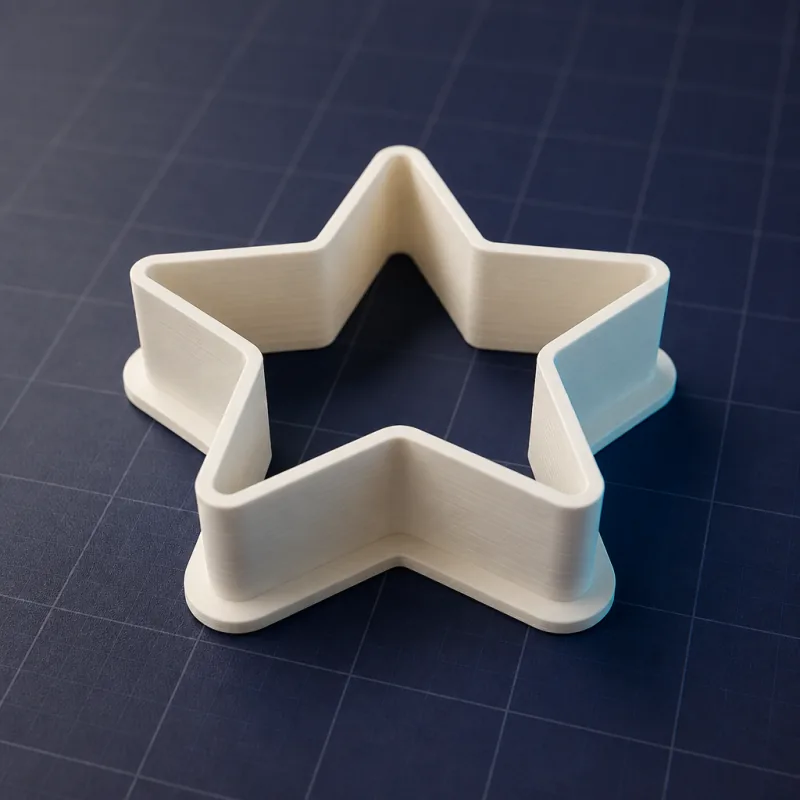
Star cookie cutter“A five-point star cookie cutter, 80 mm across, 15 mm tall blade 0.8 mm thick with a 4 mm wide flange for pressing.”More like this →
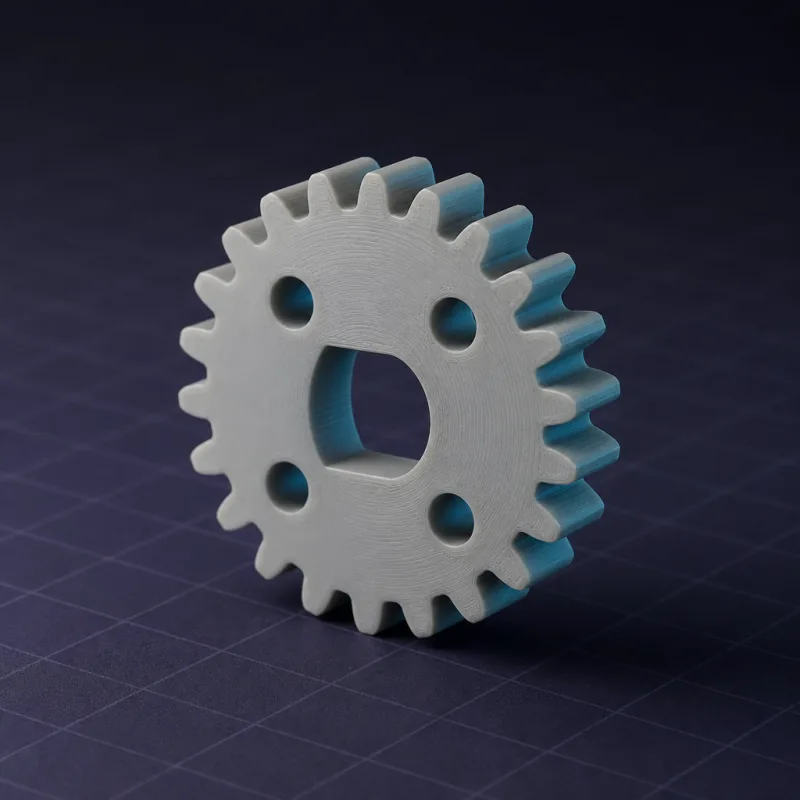
24-tooth spur gear“A 24-tooth spur gear, module 2, 8 mm thick, 6 mm D-shaft bore with a 0.5 mm flat, 4 lightening holes.”More like this →
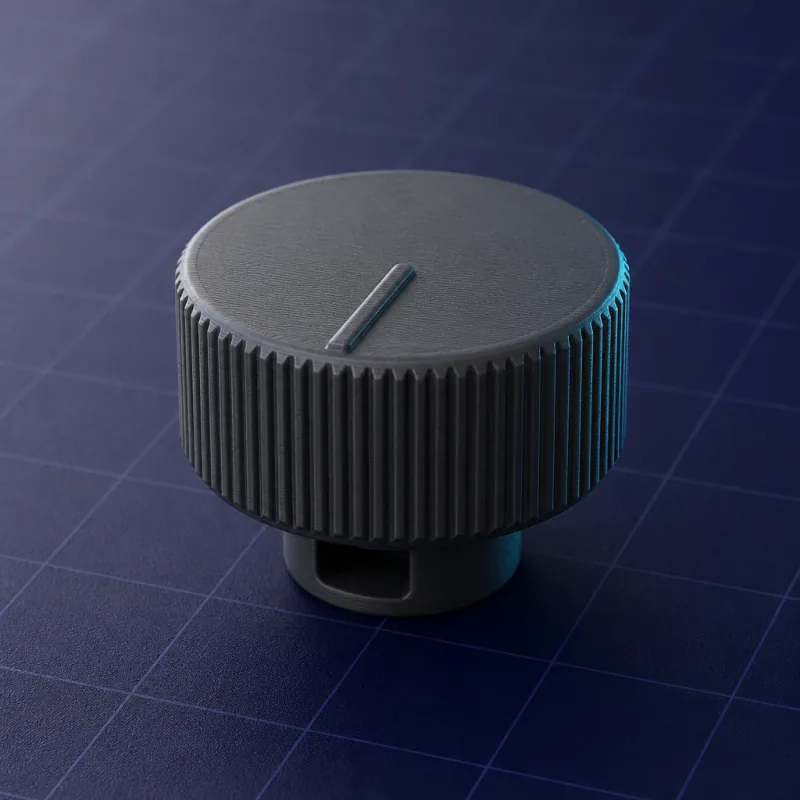
Replacement appliance knob“A replacement knob 30 mm diameter, 18 mm tall, 6 mm D-shaft 12 mm deep, a pointer line on top, fine grip ridges.”More like this →
Print-ready parts from other makers, editable before you print
Browse free models designed in SpeakCAD and adapt any dimension, by typing a number or chatting with the AI, before you download the STL, 3MF or G-code sliced for your printer. Designed something useful? Publish it for everyone.
Editable, not frozenEvery listing is a live model. Change a width or add a hole before you print.
Free to getEvery model is free, its STL and 3MF download included.
Share your designsPublish a part you printed so other makers can use it.
Graded after printingAnyone who gets a model can grade how it printed, from 1 to 5 stars.
Printed and delivered
Don't have a printer? We print it and ship it.
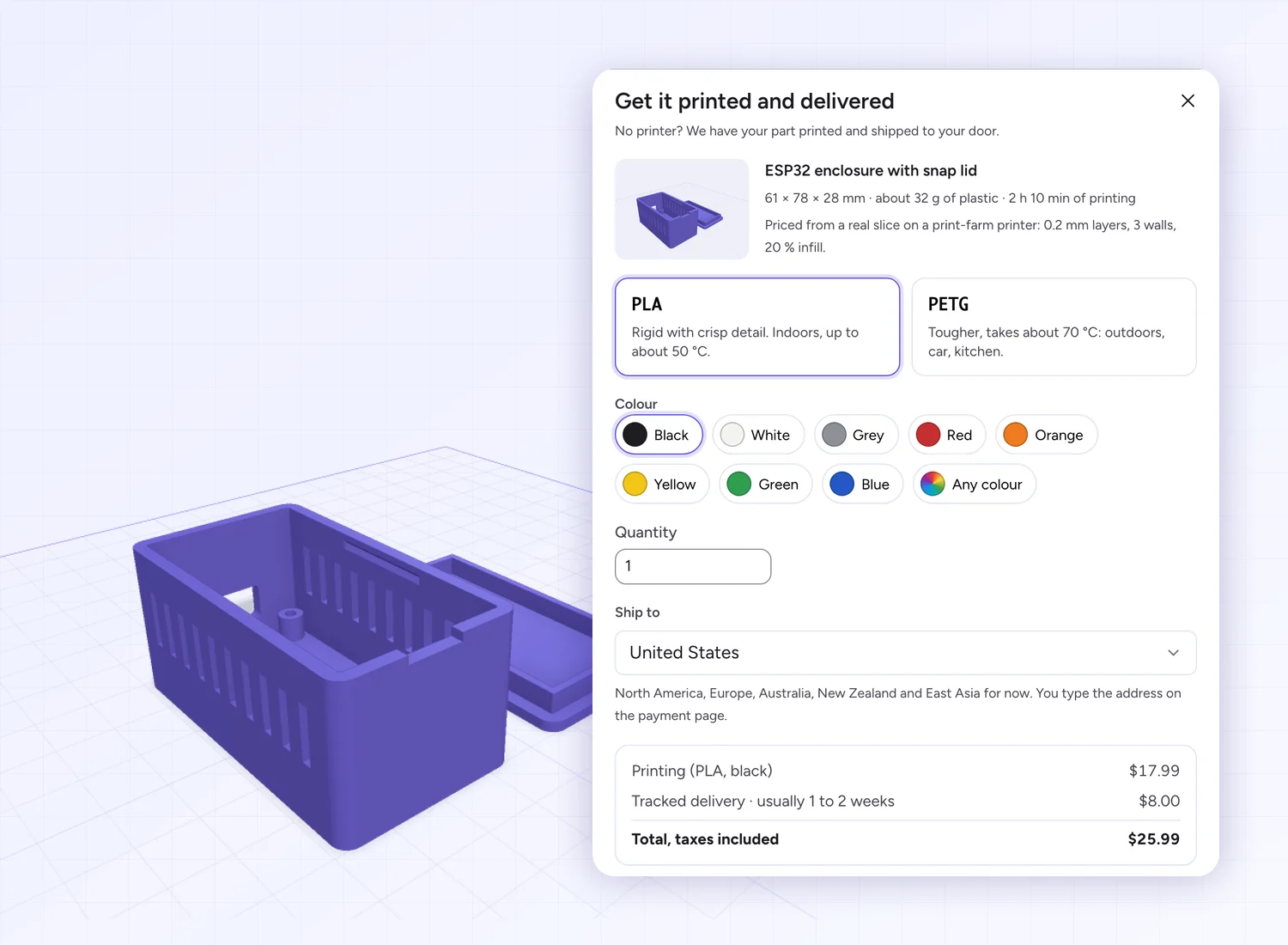
Design the part or pick a ready-made one, see the exact price from a real slice, and get it printed in PLA or PETG and delivered to your door: from $1.19 for a small part, then $0.31 each for ten and $0.24 each for fifty, up to 80% less per piece.
Start with Maker at $7.99 a month. Pro from $14.99 a month.
Maker: 50 credits a month for $7.99, enough for about 6 parts. The hand tools are free; credits are spent per AI request (3 for a new part or a design change, whichever model answers, 2 for a small change, 1 for a quick edit), and every plan includes downloads. Pro is $14.99 a month for 200 credits; Unlimited is $79.99 with 300 AI requests a month and every download included. Models stay private, and every plan can be cancelled anytime.
To get going: 50 credits every month for your AI parts, their files included, sliced G-code too.
A new part or a design change spends 3 credits, a small change 2, a quick edit 1
STL, 3MF and sliced G-code downloads included, as many as you like
Models stay private unless you publish them
Earn 30 credits per invited friend who subscribes
Get Maker$7.99/mo, 50 credits every month. Cancel anytime
ProMost chosen
$14.99/mo200 credits a month · taxes includedOnly $7 more a month than Maker: 150 more credits
$12.42/mo$14.99200 credits a month · taxes includedOnly $4.43 more a month than Maker: 150 more credits2 months freeBilled $149 once a year, you save $30.88
For makers who print often: 200 credits every month for your AI parts, their files included.
4 times Maker's credits200 credits a month for less than twice the price: for makers who print often. Every download included, sliced G-code too.
A new part or a design change spends 3 credits, a small change 2, a quick edit 1
STL, 3MF and G-code downloads included, as many as you like
Online slicer for your own STL and 3MF files, up to 60 a day
Models stay private unless you publish them
Earn credits by publishing your designs
Earn 100 credits per invited friend who subscribes
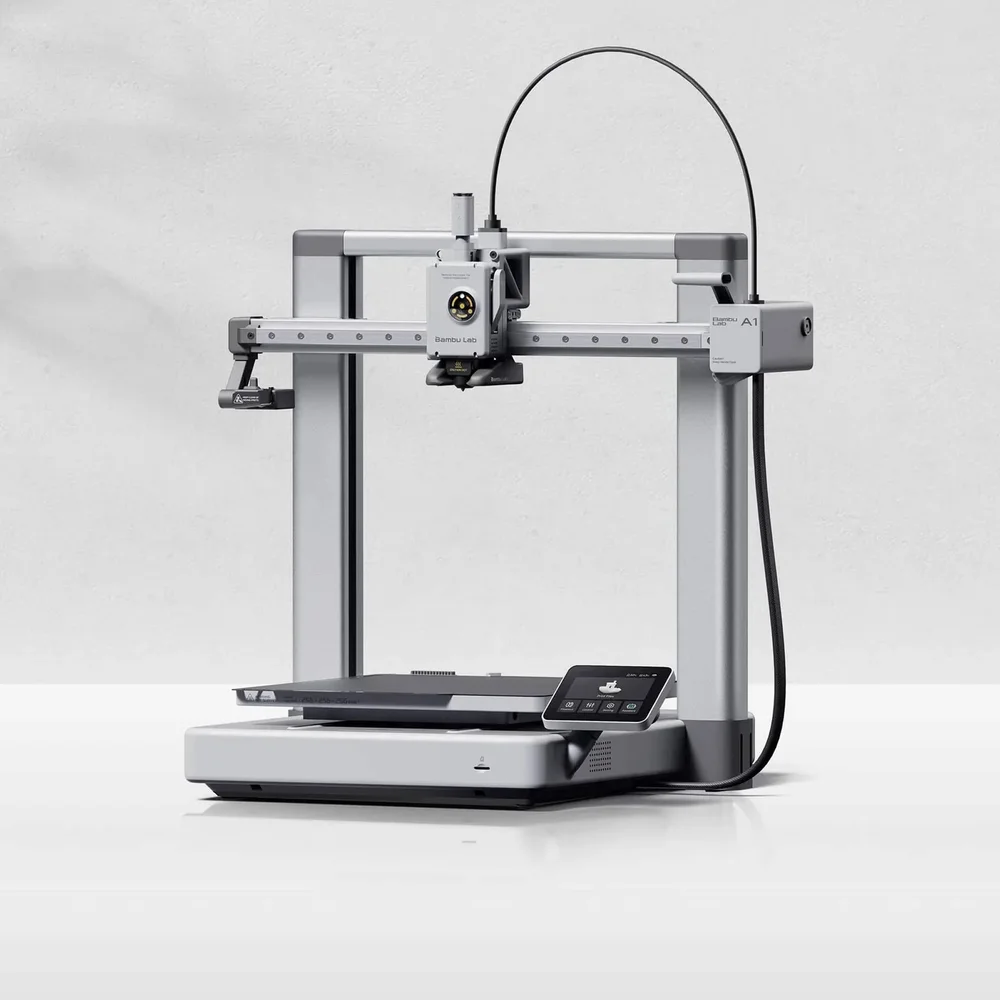
✓ Automatically entered in the Bambu Lab A1 giveaway
Get Pro$14.99/mo, 200 credits every month. Cancel anytime
$66.58/mo$79.99Unlimited use · taxes included2 months freeBilled $799 once a year, you save $160.88
For workshops and heavy users: no credit to count, however much the AI does, up to 300 requests a month.
Unlimited requests and downloadsAI requests, STL, 3MF and sliced G-code: nothing spends credits (fair use: 300 requests a month, then from your 500 credits).
300 AI requests a month included, on every model tier
Unlimited STL, 3MF and G-code downloads
Online slicer for your own STL and 3MF files, up to 60 a day
500 credits a month for requests past the included ones, at the usual prices
Models stay private unless you publish them
Earn credits by publishing your designs
Earn 200 credits per invited friend who subscribes
Get Unlimited$79.99/mo, requests and downloads included. Cancel anytime
Rather not subscribe? Buy credits once, no plan needed: they never expire, and the bigger the top-up, the less a credit costs. A plan still gives more for the money (Maker is about 16¢ a credit).
Online slicerFree with a free account, no card, no credits: up to 10 files a day. Re-slicing the same file within 24 hours does not count. Paid plans slice up to 60 a day.
Printed and deliveredNo printer? We have your part printed in PLA or PETG and shipped by tracked delivery, priced from a real slice before you pay: from $1.19 for a small part, or $0.31 each for ten and $0.24 each for fifty (up to 100 pieces). No plan needed.
Credits, spent per requestThe plan adds credits every month. A new part or a design change costs 3 credits whichever model answers it, a small change or a fix 2, a quick edit that changes a size or a number 1 (up to 10 on a very large model): SpeakCAD picks a quick model for small edits, deeper reasoning for new parts and redesigns, and a stronger model whenever an answer misses; turning the model around in 3D and changing its numbers in the viewer are free, and downloads are included. Ran out before the month is over? Move up to Pro or Unlimited.
Your models stay privateOn every plan, nothing you design or download is shown to anyone. Publish a model to the marketplace only if you want to share it, and take it down whenever you like.
Marketplace models are freeEvery model comes with its STL and 3MF files and stays editable. Browse the marketplace.
SpeakCAD is the most intuitive CAD for 3D printing, made for people who own a 3D printer and need a part that fits something they have: tap a face and type a size to shape it with simple tools, or describe it to the AI, on your phone or computer, and download a print-ready STL, 3MF or G-code sliced for your printer. Tap a face of the model for a hole, a cut, an added tab, text, an extruded face or rounded corners and type the millimetres: these hand tools are free, and so is downloading what you shaped by hand. Or describe the part (sizes, purpose, how it attaches) and the AI writes a parametric 3D model that your browser renders live; AI requests use credits, and downloads are included in every plan. Changes go the same two ways: a tap and a number, or a sentence (“make the walls thicker”, “add two screw holes”). It runs in Safari and Chrome with nothing to install, not even a slicer.
Yes for the hand tools and the files they make. AI requests use credits, and so do downloads of AI work without a plan. Free, no card: the hand tools (hole with a screw head, cut, add, extrude, text, rounded corners and edges, shell, measure, copies in a row, a grid or a circle, every size and position typed in millimetres) on the live demo without an account and in a free account, where a part you shaped by hand downloads free as STL or 3MF; the live demo's 3 AI edits of a real part; opening one of the 650+ ready-made library models in a free account, resizing it in the viewer and downloading it as STL or 3MF; and the Fit Check coupon as STL or 3MF. A new free account also gets its first AI part free (not offered in every country): some accounts get the credits right away, others confirm with a card first (a free trial, nothing charged that day); downloading the part spends 4 credits without a plan, like any AI work (every plan includes downloads). Shaping a part by hand (a hole and its screw head, a cut, an added tab, raised or engraved text, an extruded face, rounded corners, and copies in a row, a grid or a circle) and downloading what you shaped are free. A new part or a design change by the AI spends 3 credits, a small change 2, a quick edit 1; downloads are included in every plan (4 credits without one), and G-code sliced for your printer costs the same as the STL. G-code sliced for your printer costs the same as the STL: included in every plan, free for a part you shaped by hand, 4 credits without a plan for a part with AI work in it. Credits come with a plan, or once as a top-up. A typical AI part (the part, a small change and a few quick edits, the download included) spends about 8 credits, so Maker's 50 credits a month cover about six AI parts. Maker $7.99/mo (50 credits a month, downloads included, sliced G-code too); Pro $14.99/mo (200 credits a month); Unlimited $79.99/mo (300 AI requests a month included, downloads unlimited). Credits can also be bought once, without a plan: 20 for $4.99, 50 for $9.99, 100 for $17.99 or 200 for $34.99. They never expire and add to a plan's credits; a credit costs less the bigger the top-up, and more than on any plan.
Yes, and it is designed for it. The full editor runs in Safari on iPhone and iPad and in Chrome on Android: tap a face for a hole, a cut, an added tab, text, an extruded face or rounded corners and type the millimetres, or describe the part to the AI; orbit the live render with a finger and download the STL, 3MF or G-code to Files or Downloads. There is no app to install and nothing is missing compared to the desktop; the same project opens on both. Because a part is shaped with a tap and a typed number, or described, rather than drawn, a phone screen and a thumb are enough, which is why SpeakCAD is the 3D editor most people can actually use at the printer.
Yes. Describe the part, check the render, then choose G-code in the download dialog and pick your printer (more than 380 models from Bambu Lab, Prusa, Creality, Elegoo, Anycubic, Sovol, Qidi, Voron and others). You then choose from that printer's own OrcaSlicer print profiles (0.12 mm Fine, 0.20 mm Standard, Strength, Draft...) and filament profiles (Generic PLA, Bambu PETG HF, Prusament, Polymaker and hundreds more), plus speed, infill, walls, supports and adhesion. You get a .gcode file, or a sliced .gcode.3mf for Bambu printers, with the estimated print time and filament weight. Your printers and their last settings are saved to your account, so the next download is one click. G-code sliced for your printer costs the same as the STL: included in every plan, free for a part you shaped by hand, 4 credits without a plan for a part with AI work in it. Re-slicing the same design with other settings is free.
Yes. SpeakCAD works inside ChatGPT and Claude as a plugin (an MCP server): ask the assistant for a part with its measurements and SpeakCAD's own CAD AI designs it, shows it in 3D in the chat and hands over a print-ready STL, 3MF or G-code sliced for your printer. In ChatGPT it is a plugin (Settings, Plugins, search for SpeakCAD); in Claude a connector (Customize, Connectors); either way you sign in with your SpeakCAD account, and designs and changes spend its credits, with downloads included in every plan, exactly as on the site. The part is saved in your SpeakCAD models and opens in the full editor in one click.
No. If you can measure the object with a ruler or calipers, you can model it: nine hand tools (hole, cut, add, extrude, text, round, fillet, shell and measure) that ask for sizes and positions in millimetres, and a chat for everything you would rather describe. There are no sketches, constraints or toolbars to learn. Engineers still use SpeakCAD as a fast first draft or for simple brackets and adapters.
No. SpeakCAD runs entirely in your browser: the chat, the 3D engine and the live viewer all load inside the tab. There is no software to download or install, no app store, no plugin, no GPU requirement and no licence key. It works on iPhone, iPad and Android as well as on macOS, Windows, Linux and Chromebooks with a current Safari, Chrome, Edge or Firefox. The only files you ever download are your finished STL, 3MF or G-code.
Yes. The live demo on the homepage (and at speakcad.com/demo) is the real editor with a real part already loaded: an ESP32 enclosure, an AirTag keychain holder, a drawer organizer tray or a phone stand, picked at random. Shape it by hand (tap a face for a hole, a cut, an added tab, text, an extruded face or rounded corners), edit it by chat (“make the lip 4 mm taller”) or click a part of the model and type a new number, and watch it rebuild in your browser. No sign-up, no card, nothing to install; it works on a phone too. The hand tools are free and not counted; the demo allows 3 AI edits of that part. With a free account (still no card) the hand tools stay free, a part you shaped by hand downloads free as STL or 3MF, and you can open one of the 650+ ready-made models in the library, turn it around in 3D and resize it by typing numbers in the viewer. A new free account also gets its first AI part free (not offered in every country): some accounts get the credits right away, others confirm with a card first (a free trial, nothing charged that day); downloading the part spends 4 credits without a plan, like any AI work (every plan includes downloads). Further AI requests use credits, which come with a plan, and every plan includes downloads: Maker is $7.99 a month for 50 credits, cancel anytime.
Your next print is a few taps or one sentence away
Shape a part with the free hand tools on your phone or computer, or describe it and let the AI build it, then download an STL, or G-code sliced for your printer. A free account brings the hand tools and their files, plus your first AI part on us (some accounts confirm it with a card first, nothing charged that day); then the AI runs on credits, from Maker at $7.99 a month for 50 credits, or Pro from $14.99 a month, cancel anytime. Nothing to install. Not sure yet? Shape a real part in the live demo first, no account needed.