1
Enclosures & cases
ESP32-S3-DevKitC-1 case
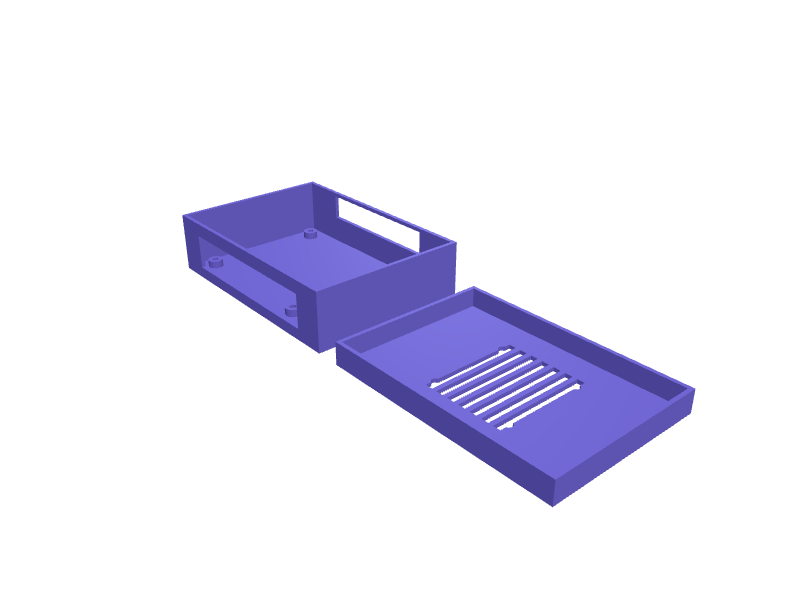
A case for an ESP32-S3-DevKitC-1 (about 69 × 26 mm, N8R8 and N16R8 clones included). The cavity is 70 × 27 × 15 mm with two 9.5 × 3.8 mm openings for the USB and UART ports, 2 mm holes over BOOT and RST and a 3 mm light pipe for the RGB LED. Walls are 1.6 mm with four M2 lid screws. Print the shell upside down in PETG. Describe your measurements and SpeakCAD builds it with AI (credits), then download STL, 3MF or sliced G-code.No ready-made model yet: building it uses credits (4 credits for the part on a plan, its first 3 small changes free; Maker: 50 credits a month for $7.99, cancel anytime).Updated
No ready-made model for this part yet
Sign in and SpeakCAD builds it from the prompt below (4 credits for the part on a plan, its first 3 small changes free; Maker: 50 credits a month for $7.99, cancel anytime). Want to try the editor first? The live demo is free, no account.2
Adjust
Change its numbers in the viewer for free, or ask the AI for a change in the chat (2 credits for a small change, 1 for a quick edit, 3 for a redesign; the first 3 small changes are free on a plan).3Print
Download a watertight STL or 3MF, included in every plan (4 credits without one), or G-code sliced for your printer at the same price.
Example prompt
Model an ESP32-S3-DevKitC-1 case, 70×27×15 mm cavity, two 9.5×3.8 mm USB slots, 2 mm button holes, 3 mm LED light pipe, four M2 screws.
Fit notes
The ESP32-S3 SuperMini is a tiny 22.5 × 18 mm board and needs its own case.
Questions people ask about an ESP32-S3-DevKitC-1 case
A case for an ESP32-S3-DevKitC-1 (about 69 × 26 mm, N8R8 and N16R8 clones included). The cavity is 70 × 27 × 15 mm with two 9.5 × 3.8 mm openings for the USB and UART ports, 2 mm holes over BOOT and RST and a 3 mm light pipe for the RGB LED. Walls are 1.6 mm with four M2 lid screws. Print the shell upside down in PETG.
There is no ready-made model for this part yet. Click Build it with AI and sign in: the example prompt on this page is filled in, and SpeakCAD builds the part from it in your browser (4 credits for the part on a plan, its first 3 small changes free). Change any number in the viewer for free, then download a watertight STL or 3MF, included in every plan (4 credits without one), or G-code sliced for your printer at the same price. Start with Maker: 50 credits a month for $7.99, cancel anytime.
SpeakCAD builds it to your measurements from the example prompt on this page: the part uses 4 credits on a plan, its first 3 small changes free (3 without a plan), and a small change after them 2, then the STL or 3MF download is included in every plan (4 credits without one), or G-code sliced for your printer at the same price. Start with Maker: 50 credits a month for $7.99, cancel anytime. To try the editor before paying, the live demo is free, no account.
A shared STL is modelled for someone else's measurements. SpeakCAD builds this part to the millimetres you give it (AI requests use credits), so the file you download is sized for the part you actually own.
Yes. SpeakCAD slices the part on its servers with OrcaSlicer and your printer's official profile (380+ printers, including Bambu Lab, Prusa, Creality and Elegoo), and you download the G-code (a sliced .gcode.3mf for Bambu Lab printers). G-code sliced for your printer costs the same as the STL: included in every plan, free for a part you shaped by hand, 4 credits without a plan for a part with AI work in it. Pick your printer on the printers page to see its profile.
No. SpeakCAD runs in the browser on your phone or computer: the chat, the 3D engine and the live viewer load in the tab. The only file you download is the finished STL, 3MF or sliced G-code.
Print it your way
Make one to your sizes
More enclosures & cases
LilyGO T-Display S3 case with screen bezelReady-made, opens free. A desktop shell for the LilyGO T-Display S3, an ESP32-S3 board with a 1.9 inch 170 x 320 pixel display.Kia EV6 key fob cover with lanyard loopReady-made, opens free. A protective sleeve for the Kia EV6, Niro EV and Hyundai Ioniq 5 smart key, which shares the same 5-button fob body.Shelly 2PM Gen3 DIN-rail adapterReady-made, opens free. An adapter that snaps a Shelly 2PM Gen3 onto a 35 mm DIN rail with 0.3 mm clearance.Storage box for four 18650 cellsReady-made, opens free. A lidded box that carries four 18650 lithium cells with each one in its own bore, so the terminals cannot touch and short in a bag.Slim case for a Raspberry Pi PicoReady-made, opens free. A low-profile shell for the Raspberry Pi Pico that guards the board and exposes only the micro USB connector and the BOOTSEL button.Whoop 4.0 battery pack protective travel caseReady-made, opens free. A hard case for the Whoop 4.0 slide-on battery pack, the small rectangular block that is easy to crush in a gym bag, roughly 40 x 27 x 12 mm depending on rev…