1
Desk & office
Keyboard tray brackets for a sim rig
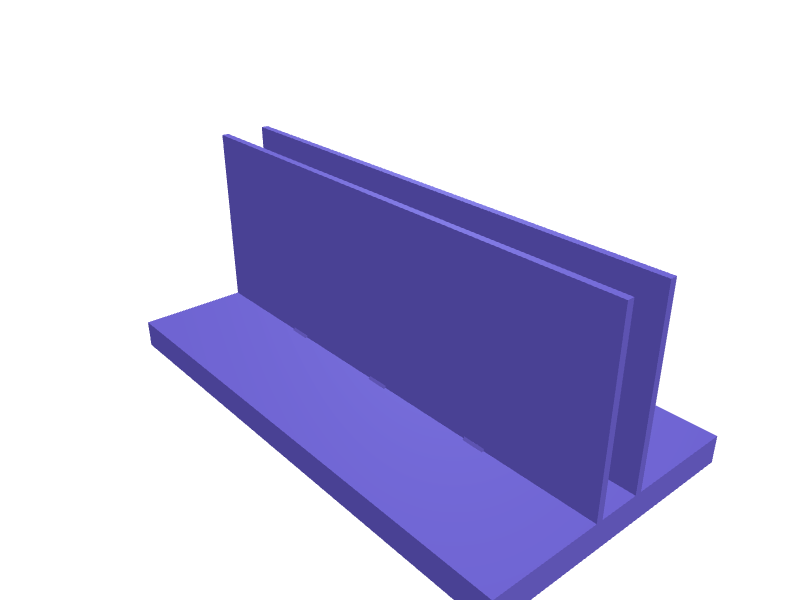
A pair of brackets that carry a keyboard tray in front of a sim rig, each bolted to a 40 series aluminium profile with two M8 bolts and T-nuts. The arm reaches 180 mm and has two holes for wood screws up into a board of your choice; two webs along its edges stiffen it and leave room between them for the bolt heads. Arm and flange are 6 mm thick, the webs 5 mm. Print each bracket with the top of the arm on the bed, in PETG, without supports. Describe your measurements and SpeakCAD builds it with AI (credits), then download STL, 3MF or sliced G-code.No ready-made model yet: building it uses credits (4 credits for the part on a plan, its first 3 small changes free; Maker: 50 credits a month for $7.99, cancel anytime).Updated
No ready-made model for this part yet
Sign in and SpeakCAD builds it from the prompt below (4 credits for the part on a plan, its first 3 small changes free; Maker: 50 credits a month for $7.99, cancel anytime). Want to try the editor first? The live demo is free, no account.2
Adjust
Change its numbers in the viewer for free, or ask the AI for a change in the chat (2 credits for a small change, 1 for a quick edit, 3 for a redesign; the first 3 small changes are free on a plan).3Print
Download a watertight STL or 3MF, included in every plan (4 credits without one), or G-code sliced for your printer at the same price.
Example prompt
Create a pair of identical brackets that carry a keyboard tray board in front of a sim rig, each bolted to a 40 series aluminium profile (8 mm slot). One bracket: an arm 180 mm long, 30 mm wide and 6 mm thick; at one end a flange 30 mm wide and 6 mm thick, hanging 80 mm down from the top face of the arm, with two 8.4 mm holes for M8 bolts, 20 mm and 60 mm below the top face. Two triangular webs 5 mm thick along both edges under the arm, each reaching 90 mm along the arm and 74 mm down the flange. Two 4.5 mm holes in the arm, 115 mm and 165 mm from the flange, for wood screws up into the board. Print each with the top face of the arm on the bed, 10 mm apart, no supports.
Fit notes
The board, the keyboard and the gap to your wheel decide the reach, and a bracket drawn for another rig puts the keys under the rim or against your knees. A shorter arm for a compact keyboard, a taller flange or a tilt of a few degrees are small changes. In SpeakCAD you type the reach, the flange height and the bolt spacing.
Questions people ask about keyboard tray brackets for a sim rig
A pair of brackets that carry a keyboard tray in front of a sim rig, each bolted to a 40 series aluminium profile with two M8 bolts and T-nuts. The arm reaches 180 mm and has two holes for wood screws up into a board of your choice; two webs along its edges stiffen it and leave room between them for the bolt heads. Arm and flange are 6 mm thick, the webs 5 mm. Print each bracket with the top of the arm on the bed, in PETG, without supports.
There is no ready-made model for this part yet. Click Build it with AI and sign in: the example prompt on this page is filled in, and SpeakCAD builds the part from it in your browser (4 credits for the part on a plan, its first 3 small changes free). Change any number in the viewer for free, then download a watertight STL or 3MF, included in every plan (4 credits without one), or G-code sliced for your printer at the same price. Start with Maker: 50 credits a month for $7.99, cancel anytime.
SpeakCAD builds it to your measurements from the example prompt on this page: the part uses 4 credits on a plan, its first 3 small changes free (3 without a plan), and a small change after them 2, then the STL or 3MF download is included in every plan (4 credits without one), or G-code sliced for your printer at the same price. Start with Maker: 50 credits a month for $7.99, cancel anytime. To try the editor before paying, the live demo is free, no account.
A shared STL is modelled for someone else's measurements. SpeakCAD builds this part to the millimetres you give it (AI requests use credits), so the file you download is sized for the part you actually own.
Yes. SpeakCAD slices the part on its servers with OrcaSlicer and your printer's official profile (380+ printers, including Bambu Lab, Prusa, Creality and Elegoo), and you download the G-code (a sliced .gcode.3mf for Bambu Lab printers). G-code sliced for your printer costs the same as the STL: included in every plan, free for a part you shaped by hand, 4 credits without a plan for a part with AI work in it. Pick your printer on the printers page to see its profile.
No. SpeakCAD runs in the browser on your phone or computer: the chat, the 3D engine and the live viewer load in the tab. The only file you download is the finished STL, 3MF or sliced G-code.
Print it your way
Make one to your sizes
More desk & office
Samsung Galaxy Z Flip 6 desk stand for Flex modeReady-made, opens free. A desk dock for the Samsung Galaxy Z Flip 6 that cradles the lower half so the phone sits in Flex mode with the top screen angled toward you for video calls…Garmin Fenix 8 charger cable dockReady-made, opens free. A desk dock that holds a Garmin Fenix 8 (51 mm case) face-out while the official clip charger clamps the back.Garmin Instinct 3 charger-clip dockReady-made, opens free. A dock that holds an Instinct 3 on its clip charger at 20 degrees, 48 mm nest.Airspy HF+ Discovery desk standReady-made, opens free. A stand that holds an HF+ Discovery at 20 degrees with SMA clearance and a 14 mm USB slot.MacBook Pro 16 M4 HDMI hub under-standReady-made, opens free. A 24 mm shelf for a 16-inch MacBook Pro M4 (about 16.8 mm closed, 356 mm wide) that holds a Thunderbolt HDMI hub flush under the chassis.Under-desk headphone holder with screw mountReady-made, opens free. A curved hanger that screws to the underside of a desk so headphones hang within reach.