1
Desk & office
Framework 16 speaker-module stand feet
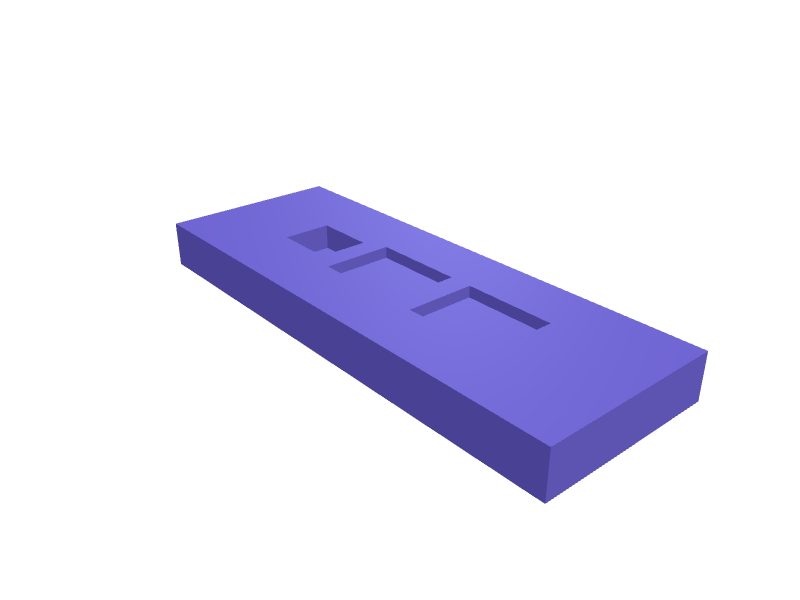
Feet that lift a Framework 16 8 mm when the speaker modules are in so the down-firing drivers clear a desk. Each foot is 20 × 12 × 8 mm with a 3 mm rubber recess. Print four in PETG. Describe your measurements and SpeakCAD builds it with AI (credits), then download STL, 3MF or sliced G-code.No ready-made model yet: building it uses credits (4 credits for the part on a plan, its first 3 small changes free; Maker: 50 credits a month for $7.99, cancel anytime).Updated
No ready-made model for this part yet
Sign in and SpeakCAD builds it from the prompt below (4 credits for the part on a plan, its first 3 small changes free; Maker: 50 credits a month for $7.99, cancel anytime). Want to try the editor first? The live demo is free, no account.2
Adjust
Change its numbers in the viewer for free, or ask the AI for a change in the chat (2 credits for a small change, 1 for a quick edit, 3 for a redesign; the first 3 small changes are free on a plan).3Print
Download a watertight STL or 3MF, included in every plan (4 credits without one), or G-code sliced for your printer at the same price.
Example prompt
Create Framework 16 speaker-module feet 20×12×8 mm with a 3 mm rubber recess, PETG, set of four.
Fit notes
The GPU-module tray and expansion-bay cover are different 16 parts. Tell SpeakCAD speaker vs spacer modules, preview a foot in the browser, then download the STL.
Questions people ask about Framework 16 speaker-module stand feet
Feet that lift a Framework 16 8 mm when the speaker modules are in so the down-firing drivers clear a desk. Each foot is 20 × 12 × 8 mm with a 3 mm rubber recess. Print four in PETG.
There is no ready-made model for this part yet. Click Build it with AI and sign in: the example prompt on this page is filled in, and SpeakCAD builds the part from it in your browser (4 credits for the part on a plan, its first 3 small changes free). Change any number in the viewer for free, then download a watertight STL or 3MF, included in every plan (4 credits without one), or G-code sliced for your printer at the same price. Start with Maker: 50 credits a month for $7.99, cancel anytime.
SpeakCAD builds it to your measurements from the example prompt on this page: the part uses 4 credits on a plan, its first 3 small changes free (3 without a plan), and a small change after them 2, then the STL or 3MF download is included in every plan (4 credits without one), or G-code sliced for your printer at the same price. Start with Maker: 50 credits a month for $7.99, cancel anytime. To try the editor before paying, the live demo is free, no account.
A shared STL is modelled for someone else's measurements. SpeakCAD builds this part to the millimetres you give it (AI requests use credits), so the file you download is sized for the part you actually own.
Yes. SpeakCAD slices the part on its servers with OrcaSlicer and your printer's official profile (380+ printers, including Bambu Lab, Prusa, Creality and Elegoo), and you download the G-code (a sliced .gcode.3mf for Bambu Lab printers). G-code sliced for your printer costs the same as the STL: included in every plan, free for a part you shaped by hand, 4 credits without a plan for a part with AI work in it. Pick your printer on the printers page to see its profile.
No. SpeakCAD runs in the browser on your phone or computer: the chat, the 3D engine and the live viewer load in the tab. The only file you download is the finished STL, 3MF or sliced G-code.
Print it your way
More desk & office
Monitor riser with under-shelf storageReady-made, opens free. A platform that lifts a monitor 90 mm to eye height while the space beneath stores a keyboard, notebook or external drive.Garmin Fenix and Forerunner charging cable dock standReady-made, opens free. A desk dock that holds the Garmin four-pin charging plug pointing upward, so a Fenix 7 (47 mm case) or Forerunner 265 (46.1 mm case) drops onto the connector…Apple Watch Ultra 3 nightstand charger dockReady-made, opens free. A nightstand dock that holds an Apple Watch Ultra 3 (about 49 mm case, 12 mm thick) on its magnetic charger at 15 degrees, with a 80 × 20 mm trough behind fo…Sonos Move 2 charging-cradle riserReady-made, opens free. A 20 mm riser under a Move 2 cradle so the speaker clears a deep windowsill lip.HackRF One PortaPack H2M standReady-made, opens free. A stand that holds a HackRF + PortaPack H2M at 30 degrees with a 14 mm USB slot.MacBook Pro 14 M4 HDMI hub under-standReady-made, opens free. A 22 mm shelf that sits under a 14-inch MacBook Pro M4 (about 15.5 mm closed, 312 mm wide) and parks a 6-port HDMI/SD hub so the left Thunderbolt ports stay…