1
Tools & jigs
Makita MAKPAC Type 1 bit caddy
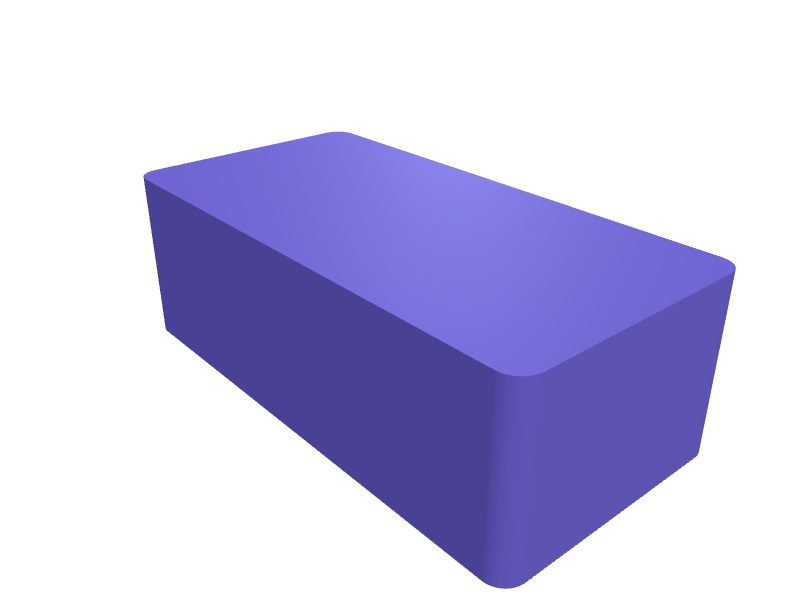
A caddy that fills a MAKPAC Type 1 (about 395 × 295 × 70 mm) with 40 impact bits on 7 mm rails. The plate is 380 × 280 × 16 mm. Print flat in PETG with 1.6 mm walls. Describe your measurements and SpeakCAD builds it with AI (credits), then download STL, 3MF or sliced G-code.No ready-made model yet: building it uses credits (4 credits for the part on a plan, its first 3 small changes free; Maker: 50 credits a month for $7.99, cancel anytime).Updated
No ready-made model for this part yet
Sign in and SpeakCAD builds it from the prompt below (4 credits for the part on a plan, its first 3 small changes free; Maker: 50 credits a month for $7.99, cancel anytime). Want to try the editor first? The live demo is free, no account.2
Adjust
Change its numbers in the viewer for free, or ask the AI for a change in the chat (2 credits for a small change, 1 for a quick edit, 3 for a redesign; the first 3 small changes are free on a plan).3Print
Download a watertight STL or 3MF, included in every plan (4 credits without one), or G-code sliced for your printer at the same price.
Example prompt
Model a MAKPAC Type 1 bit caddy 380×280×16 mm, 7 mm rails for 40 bits, 1.6 mm PETG.
Fit notes
The Type 2 impact insert and the impact-bit-set insert are different layouts. In SpeakCAD you set bit count, preview the caddy in the browser, then download the STL.
Questions people ask about a Makita MAKPAC Type 1 bit caddy
A caddy that fills a MAKPAC Type 1 (about 395 × 295 × 70 mm) with 40 impact bits on 7 mm rails. The plate is 380 × 280 × 16 mm. Print flat in PETG with 1.6 mm walls.
There is no ready-made model for this part yet. Click Build it with AI and sign in: the example prompt on this page is filled in, and SpeakCAD builds the part from it in your browser (4 credits for the part on a plan, its first 3 small changes free). Change any number in the viewer for free, then download a watertight STL or 3MF, included in every plan (4 credits without one), or G-code sliced for your printer at the same price. Start with Maker: 50 credits a month for $7.99, cancel anytime.
SpeakCAD builds it to your measurements from the example prompt on this page: the part uses 4 credits on a plan, its first 3 small changes free (3 without a plan), and a small change after them 2, then the STL or 3MF download is included in every plan (4 credits without one), or G-code sliced for your printer at the same price. Start with Maker: 50 credits a month for $7.99, cancel anytime. To try the editor before paying, the live demo is free, no account.
A shared STL is modelled for someone else's measurements. SpeakCAD builds this part to the millimetres you give it (AI requests use credits), so the file you download is sized for the part you actually own.
Yes. SpeakCAD slices the part on its servers with OrcaSlicer and your printer's official profile (380+ printers, including Bambu Lab, Prusa, Creality and Elegoo), and you download the G-code (a sliced .gcode.3mf for Bambu Lab printers). G-code sliced for your printer costs the same as the STL: included in every plan, free for a part you shaped by hand, 4 credits without a plan for a part with AI work in it. Pick your printer on the printers page to see its profile.
No. SpeakCAD runs in the browser on your phone or computer: the chat, the 3D engine and the live viewer load in the tab. The only file you download is the finished STL, 3MF or sliced G-code.
Print it your way
More tools & jigs
Helping-hands PCB vise 80 mmReady-made, opens free. A small vise with 80 mm jaws and a 6 mm ball joint that holds a PCB at any angle.SRAM Level bleed blockReady-made, opens free. A block that holds SRAM Level pistons in during a bleed, 24 × 12 × 8 mm.Ergonomic sanding block for hook-and-loop discsReady-made, opens free. This hand sanding block accepts the same 125 mm hook-and-loop discs you use on a random orbit sander, so leftover discs get a second life on edges and profiles.Labeled socket organizer railReady-made, opens free. Loose sockets in a drawer cost minutes on every job; a rail with sized posts keeps a 1/2 inch drive set in order and shows the size on each post.Festool Domino DF 500 offset spacer set for shelf jointsReady-made, opens free. A set of stepped spacers that sit under the fence of a Festool Domino DF 500 so mortises land at a fixed offset from the edge for shelf pins, drawer dividers…Voron Trident belt-tension gauge cardReady-made, opens free. A 1.2 mm card that reads Voron Trident A/B belt tension by how far a 6 mm span deflects to printed marks at 80, 90 and 100 Hz equivalents.