1
Brackets & mounts
Dyson V12 Detect crevice wand clip
A clip that snaps the longer V12 Detect crevice tool onto the slim wand, 38 × 26 × 16 mm with a 30 mm tool saddle and a 34 mm wand snap. Print in PETG with 1.6 mm walls. Describe your measurements and SpeakCAD builds it with AI (credits), then download STL, 3MF or sliced G-code.No ready-made model yet: building it uses credits (4 credits for the part on a plan, its first 3 small changes free; Maker: 50 credits a month for $7.99, cancel anytime).Updated
No ready-made model for this part yet
Sign in and SpeakCAD builds it from the prompt below (4 credits for the part on a plan, its first 3 small changes free; Maker: 50 credits a month for $7.99, cancel anytime). Want to try the editor first? The live demo is free, no account.2
Adjust
Change its numbers in the viewer for free, or ask the AI for a change in the chat (2 credits for a small change, 1 for a quick edit, 3 for a redesign; the first 3 small changes are free on a plan).3Print
Download a watertight STL or 3MF, included in every plan (4 credits without one), or G-code sliced for your printer at the same price.
Example prompt
Create a V12 Detect crevice clip 38×26×16 mm, 30 mm tool saddle, 34 mm wand snap, 1.6 mm PETG.
Fit notes
The V15 combination clip is a later diameter. In SpeakCAD you measure the wand, preview the clip in the browser, then download the STL.
Questions people ask about a Dyson V12 Detect crevice wand clip
A clip that snaps the longer V12 Detect crevice tool onto the slim wand, 38 × 26 × 16 mm with a 30 mm tool saddle and a 34 mm wand snap. Print in PETG with 1.6 mm walls.
There is no ready-made model for this part yet. Click Build it with AI and sign in: the example prompt on this page is filled in, and SpeakCAD builds the part from it in your browser (4 credits for the part on a plan, its first 3 small changes free). Change any number in the viewer for free, then download a watertight STL or 3MF, included in every plan (4 credits without one), or G-code sliced for your printer at the same price. Start with Maker: 50 credits a month for $7.99, cancel anytime.
SpeakCAD builds it to your measurements from the example prompt on this page: the part uses 4 credits on a plan, its first 3 small changes free (3 without a plan), and a small change after them 2, then the STL or 3MF download is included in every plan (4 credits without one), or G-code sliced for your printer at the same price. Start with Maker: 50 credits a month for $7.99, cancel anytime. To try the editor before paying, the live demo is free, no account.
A shared STL is modelled for someone else's measurements. SpeakCAD builds this part to the millimetres you give it (AI requests use credits), so the file you download is sized for the part you actually own.
Yes. SpeakCAD slices the part on its servers with OrcaSlicer and your printer's official profile (380+ printers, including Bambu Lab, Prusa, Creality and Elegoo), and you download the G-code (a sliced .gcode.3mf for Bambu Lab printers). G-code sliced for your printer costs the same as the STL: included in every plan, free for a part you shaped by hand, 4 credits without a plan for a part with AI work in it. Pick your printer on the printers page to see its profile.
No. SpeakCAD runs in the browser on your phone or computer: the chat, the 3D engine and the live viewer load in the tab. The only file you download is the finished STL, 3MF or sliced G-code.
Print it your way
More brackets & mounts
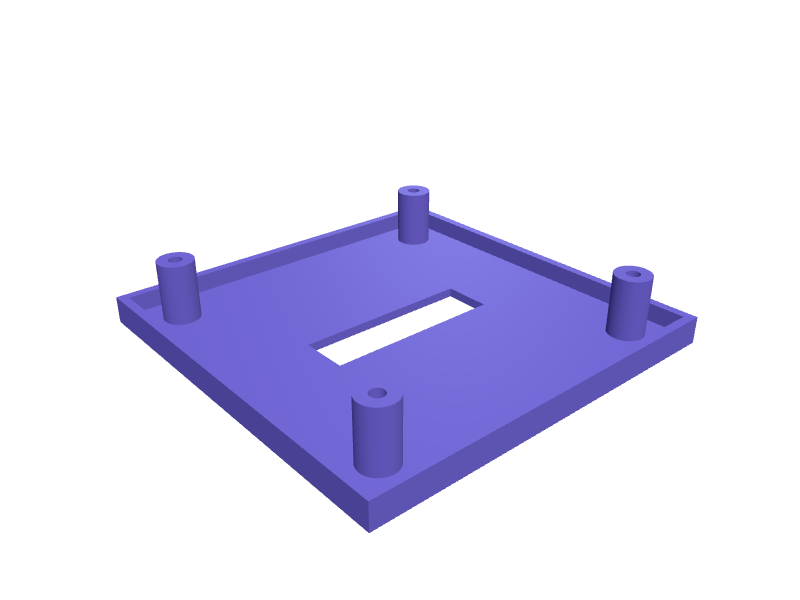
Mac mini M4 Pro VESA 100 bracketReady-made, opens free. A VESA 100 bracket that hangs a Mac mini M4 Pro behind a monitor, 130 × 130 mm plate with 20 mm standoffs and four M4 holes.Wall holder for a laptop power brickReady-made, opens free. A cradle that holds a power supply brick against the wall or under a shelf, keeping it off the carpet where it collects dust and overheats.Hidden AirTag mount under bike saddle railsReady-made, opens free. A small clamshell that bolts between the two 7 mm rails under a bicycle saddle and hides an Apple AirTag (31.9 mm diameter, 8 mm thick) where a thief will no…Philips Hue motion sensor corner mount bracketReady-made, opens free. A wedge that lets the Philips Hue motion sensor sit in the corner of a room, where its field of view covers the whole space.Bambu Lab A1 AMS Lite spool holder riser bracketReady-made, opens free. A riser that lifts the Bambu Lab AMS Lite 60 mm above the desk so the four spools clear the A1 or A1 mini bed when the printer sits on a shelf, and adds feet…AirPods Max 2 wall hook with braided cable slotReady-made, opens free. A wall hook that holds AirPods Max 2 (about 188 × 168 × 83 mm) by the headband with a 20 mm padded saddle and a 8 × 40 mm slot underneath for the braided USB…