1
Tools & jigs
Drill jig for access holes in 40 series profile
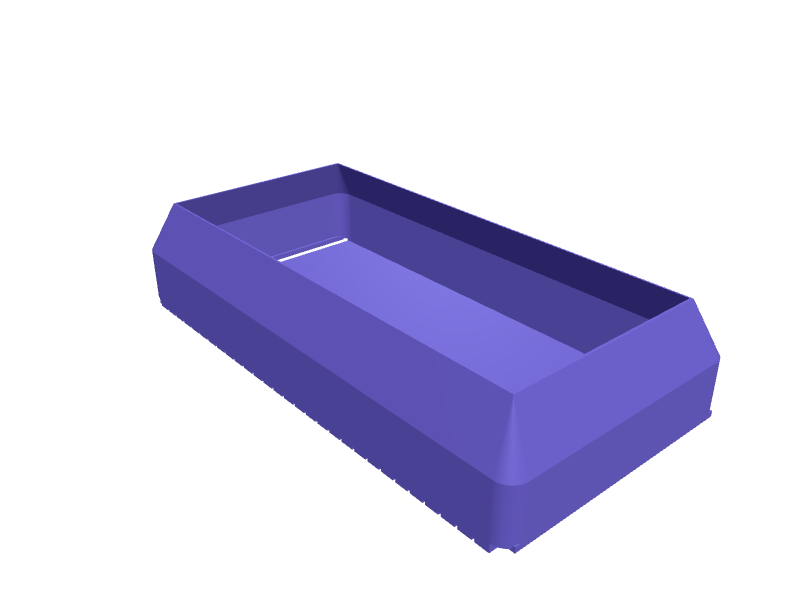
A drill jig for the access holes of end connections in 40 series aluminium profile, the joint where a bolt in the end of one profile hooks into the slot of the next and is tightened through a hole across it. The block sits on the profile with a 7.8 mm rib in the 8 mm slot and a lip against the end, and its two 7.2 mm bores guide a 7 mm drill exactly 20 and 60 mm from the end, on the centre line of the slot. Print it solid and upside down, without supports. Describe your measurements and SpeakCAD builds it with AI (credits), then download STL, 3MF or sliced G-code.No ready-made model yet: building it uses credits (4 credits for the part on a plan, its first 3 small changes free; Maker: 50 credits a month for $7.99, cancel anytime).Updated
No ready-made model for this part yet
Sign in and SpeakCAD builds it from the prompt below (4 credits for the part on a plan, its first 3 small changes free; Maker: 50 credits a month for $7.99, cancel anytime). Want to try the editor first? The live demo is free, no account.2
Adjust
Change its numbers in the viewer for free, or ask the AI for a change in the chat (2 credits for a small change, 1 for a quick edit, 3 for a redesign; the first 3 small changes are free on a plan).3Print
Download a watertight STL or 3MF, included in every plan (4 credits without one), or G-code sliced for your printer at the same price.
Example prompt
Model a drill jig for the hex key access holes of end connections in 40 series aluminium profile with an 8 mm slot. Block 80 mm long, 40 mm wide and 20 mm tall that sits on a profile face. Underneath, a locating rib 7.8 mm wide and 2 mm tall on the centreline along the full length. At one end, a stop lip 5 mm thick hanging 15 mm below the underside, across the full width, that hooks over the end of the profile. Two vertical 7.2 mm guide bores through block and rib on the centreline, 20 mm and 60 mm from the inner face of the stop, for a 7 mm drill. Engrave 20 and 60 beside the bores on the top face, 5 mm high. Print upside down, rib and lip up, no supports.
Fit notes
The distances are what change. A 40 × 40 crossing needs one hole at 20 mm, a 40 × 80 needs 20 and 60, and a joint in the middle of a beam needs the lip left off and a mark to line up instead. A printed bore also wears, so many builders press in a steel drill bush. In SpeakCAD you set the hole positions, the drill size and the bush diameter.
Questions people ask about a drill jig for access holes in 40 series profile
A drill jig for the access holes of end connections in 40 series aluminium profile, the joint where a bolt in the end of one profile hooks into the slot of the next and is tightened through a hole across it. The block sits on the profile with a 7.8 mm rib in the 8 mm slot and a lip against the end, and its two 7.2 mm bores guide a 7 mm drill exactly 20 and 60 mm from the end, on the centre line of the slot. Print it solid and upside down, without supports.
There is no ready-made model for this part yet. Click Build it with AI and sign in: the example prompt on this page is filled in, and SpeakCAD builds the part from it in your browser (4 credits for the part on a plan, its first 3 small changes free). Change any number in the viewer for free, then download a watertight STL or 3MF, included in every plan (4 credits without one), or G-code sliced for your printer at the same price. Start with Maker: 50 credits a month for $7.99, cancel anytime.
SpeakCAD builds it to your measurements from the example prompt on this page: the part uses 4 credits on a plan, its first 3 small changes free (3 without a plan), and a small change after them 2, then the STL or 3MF download is included in every plan (4 credits without one), or G-code sliced for your printer at the same price. Start with Maker: 50 credits a month for $7.99, cancel anytime. To try the editor before paying, the live demo is free, no account.
A shared STL is modelled for someone else's measurements. SpeakCAD builds this part to the millimetres you give it (AI requests use credits), so the file you download is sized for the part you actually own.
Yes. SpeakCAD slices the part on its servers with OrcaSlicer and your printer's official profile (380+ printers, including Bambu Lab, Prusa, Creality and Elegoo), and you download the G-code (a sliced .gcode.3mf for Bambu Lab printers). G-code sliced for your printer costs the same as the STL: included in every plan, free for a part you shaped by hand, 4 credits without a plan for a part with AI work in it. Pick your printer on the printers page to see its profile.
No. SpeakCAD runs in the browser on your phone or computer: the chat, the 3D engine and the live viewer load in the tab. The only file you download is the finished STL, 3MF or sliced G-code.
Print it your way
More tools & jigs
Festool Domino DF 500 offset spacer set for shelf jointsReady-made, opens free. A set of stepped spacers that sit under the fence of a Festool Domino DF 500 so mortises land at a fixed offset from the edge for shelf pins, drawer dividers…Voron Trident belt-tension gauge cardReady-made, opens free. A 1.2 mm card that reads Voron Trident A/B belt tension by how far a 6 mm span deflects to printed marks at 80, 90 and 100 Hz equivalents.20 mm bench dog for Festool MFTReady-made, opens free. A 20 mm bench dog 25 mm tall with a 0.1 mm taper so it drops into an MFT/3 hole and a 6 mm through-hole for a hold-down.Bench-cookie set 60 mm non-slipReady-made, opens free. Four 60 × 12 mm bench cookies with a 2 mm TPU pad recess on each face so a workpiece stays put for sanding.Drill depth-stop collar setReady-made, opens free. A drill depth-stop collar slides onto a twist bit and stops the chuck from driving deeper than you want, so dowel holes, hinge cups and pilot holes all end a…Hex bit holder with magnet trayReady-made, opens free. A compact holder keeps 1/4 inch hex screwdriver bits sorted by type and within reach on the bench.