1
Organizers & storage
Sim rig storage bin for 8 mm slot profile
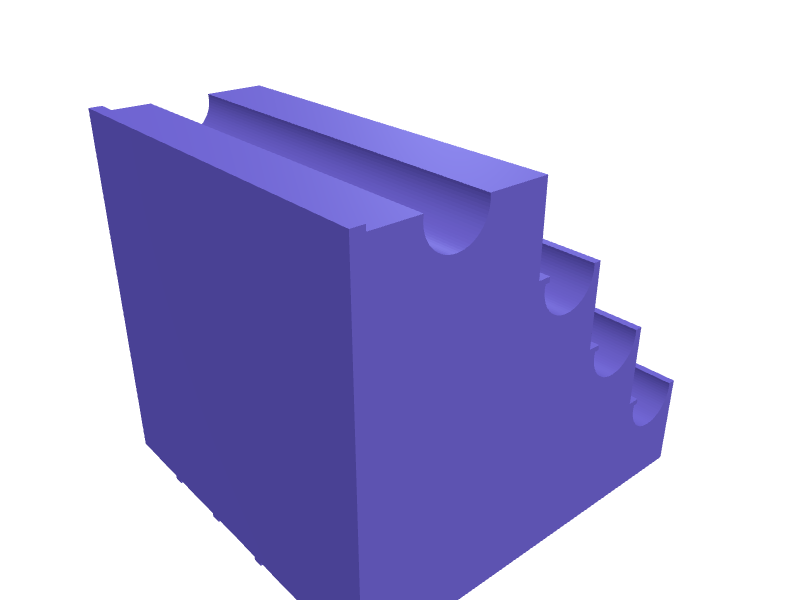
A storage bin that bolts to an upright of a 40 series aluminium profile sim rig and keeps the spare T-nuts, M8 bolts and washers where you adjust the rig. One M8 bolt holds it, and a 7.8 mm rib on the back sits in the 8 mm slot so the bin stays level. It is 110 × 60 × 45 mm with a lowered front, one divider and 2 mm walls. Print it upright on its floor, without supports. Describe your measurements and SpeakCAD builds it with AI (credits), then download STL, 3MF or sliced G-code.No ready-made model yet: building it uses credits (4 credits for the part on a plan, its first 3 small changes free; Maker: 50 credits a month for $7.99, cancel anytime).Updated
No ready-made model for this part yet
Sign in and SpeakCAD builds it from the prompt below (4 credits for the part on a plan, its first 3 small changes free; Maker: 50 credits a month for $7.99, cancel anytime). Want to try the editor first? The live demo is free, no account.2
Adjust
Change its numbers in the viewer for free, or ask the AI for a change in the chat (2 credits for a small change, 1 for a quick edit, 3 for a redesign; the first 3 small changes are free on a plan).3Print
Download a watertight STL or 3MF, included in every plan (4 credits without one), or G-code sliced for your printer at the same price.
Example prompt
Design a storage bin that bolts to a vertical 40 series aluminium profile upright (8 mm slot) and keeps spare T-nuts and M8 bolts on a sim rig. Bin 110 mm wide, 60 mm deep and 45 mm tall outside with 2 mm walls and floor, the front wall lowered to 30 mm with a rounded edge, and one divider 1.6 mm thick 70 mm from the left wall. The rear wall rises to 80 mm over its middle 40 mm and is 5 mm thick there, with an 8.4 mm hole for an M8 bolt 65 mm above the base and, on its back face, a locating rib 7.8 mm wide and 2 mm tall on the vertical centreline. Print upright on the floor, no supports.
Fit notes
How big the bin should be depends on what you keep in it and on where it hangs: a wide bin fouls the seat on a narrow rig, and hex keys need a taller compartment. On a horizontal beam the rib has to turn 90 degrees. In SpeakCAD you set the bin size, the dividers and the direction of the rib.
Questions people ask about a sim rig storage bin for 8 mm slot profile
A storage bin that bolts to an upright of a 40 series aluminium profile sim rig and keeps the spare T-nuts, M8 bolts and washers where you adjust the rig. One M8 bolt holds it, and a 7.8 mm rib on the back sits in the 8 mm slot so the bin stays level. It is 110 × 60 × 45 mm with a lowered front, one divider and 2 mm walls. Print it upright on its floor, without supports.
There is no ready-made model for this part yet. Click Build it with AI and sign in: the example prompt on this page is filled in, and SpeakCAD builds the part from it in your browser (4 credits for the part on a plan, its first 3 small changes free). Change any number in the viewer for free, then download a watertight STL or 3MF, included in every plan (4 credits without one), or G-code sliced for your printer at the same price. Start with Maker: 50 credits a month for $7.99, cancel anytime.
SpeakCAD builds it to your measurements from the example prompt on this page: the part uses 4 credits on a plan, its first 3 small changes free (3 without a plan), and a small change after them 2, then the STL or 3MF download is included in every plan (4 credits without one), or G-code sliced for your printer at the same price. Start with Maker: 50 credits a month for $7.99, cancel anytime. To try the editor before paying, the live demo is free, no account.
A shared STL is modelled for someone else's measurements. SpeakCAD builds this part to the millimetres you give it (AI requests use credits), so the file you download is sized for the part you actually own.
Yes. SpeakCAD slices the part on its servers with OrcaSlicer and your printer's official profile (380+ printers, including Bambu Lab, Prusa, Creality and Elegoo), and you download the G-code (a sliced .gcode.3mf for Bambu Lab printers). G-code sliced for your printer costs the same as the STL: included in every plan, free for a part you shaped by hand, 4 credits without a plan for a part with AI work in it. Pick your printer on the printers page to see its profile.
No. SpeakCAD runs in the browser on your phone or computer: the chat, the 3D engine and the live viewer load in the tab. The only file you download is the finished STL, 3MF or sliced G-code.
Print it your way
Make one to your sizes
More organizers & storage
Mac Studio M4 top SD-card caddyReady-made, opens free. A caddy that sits on a Mac Studio M4 and holds six SD cards plus two CFexpress in labelled slots, 120 × 80 × 16 mm, rubber-foot recesses so it does not slide.Makeup brush holder with divided cupsReady-made, opens free. A tall cup split into three sections of different heights so face brushes, eye brushes and eyeliner pencils each stand at a useful height without disappearing.21700 battery storage tray for 8 cells with polarity marksReady-made, opens free. A desktop tray that keeps eight 21700 lithium cells upright and separated, handy for vape, torch, power bank and e-bike battery projects.Bambu Lab AMS desiccant holder tray for silica beadsReady-made, opens free. A vented tray that clips into the unused floor space at the front of the Bambu Lab AMS, between the spool rollers, and holds about 60 g of loose silica gel b…Sony NP-FZ100 battery case for four batteriesReady-made, opens free. A pocketable case that holds four Sony NP-FZ100 batteries, the 38.7 x 22.7 x 51.7 mm pack used by the A7 IV, A7 III, A6700 and A1, in labelled bays with a fl…Festool Systainer3 M 187 oscillator insertReady-made, opens free. A two-part insert for a Systainer3 M 187 that holds a Vecturo or OSC 18, five blades in 2 mm slots, and the charger.