1
Replacement parts
IKEA BILLY OXBERG door soft bump
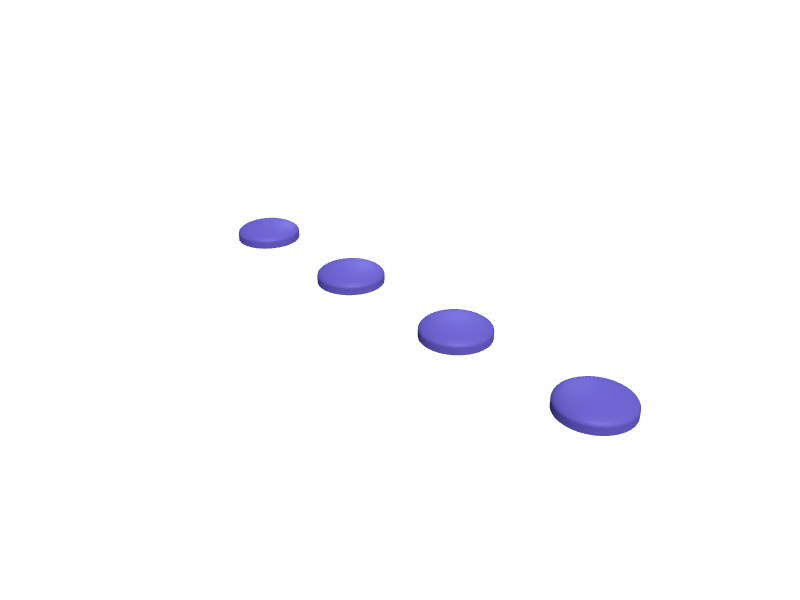
A bump that sits on a BILLY OXBERG glass or panel door so it does not rattle against the bookcase. The pad is 16 × 12 × 6 mm with a 2 mm TPU face and a 3 mm peg. Print four in TPU. Describe your measurements and SpeakCAD builds it with AI (credits), then download STL, 3MF or sliced G-code.No ready-made model yet: building it uses credits (4 credits for the part on a plan, its first 3 small changes free; Maker: 50 credits a month for $7.99, cancel anytime).Updated
No ready-made model for this part yet
Sign in and SpeakCAD builds it from the prompt below (4 credits for the part on a plan, its first 3 small changes free; Maker: 50 credits a month for $7.99, cancel anytime). Want to try the editor first? The live demo is free, no account.2
Adjust
Change its numbers in the viewer for free, or ask the AI for a change in the chat (2 credits for a small change, 1 for a quick edit, 3 for a redesign; the first 3 small changes are free on a plan).3Print
Download a watertight STL or 3MF, included in every plan (4 credits without one), or G-code sliced for your printer at the same price.
Example prompt
Design a BILLY OXBERG door bump 16×12×6 mm with a 3 mm peg and 2 mm TPU face, set of four.
Fit notes
The BILLY 5 mm shelf pin and anti-tip bracket are different parts. Describe glass vs panel in SpeakCAD, preview a bump in the browser, then download the STL.
Questions people ask about an IKEA BILLY OXBERG door soft bump
A bump that sits on a BILLY OXBERG glass or panel door so it does not rattle against the bookcase. The pad is 16 × 12 × 6 mm with a 2 mm TPU face and a 3 mm peg. Print four in TPU.
There is no ready-made model for this part yet. Click Build it with AI and sign in: the example prompt on this page is filled in, and SpeakCAD builds the part from it in your browser (4 credits for the part on a plan, its first 3 small changes free). Change any number in the viewer for free, then download a watertight STL or 3MF, included in every plan (4 credits without one), or G-code sliced for your printer at the same price. Start with Maker: 50 credits a month for $7.99, cancel anytime.
SpeakCAD builds it to your measurements from the example prompt on this page: the part uses 4 credits on a plan, its first 3 small changes free (3 without a plan), and a small change after them 2, then the STL or 3MF download is included in every plan (4 credits without one), or G-code sliced for your printer at the same price. Start with Maker: 50 credits a month for $7.99, cancel anytime. To try the editor before paying, the live demo is free, no account.
A shared STL is modelled for someone else's measurements. SpeakCAD builds this part to the millimetres you give it (AI requests use credits), so the file you download is sized for the part you actually own.
Yes. SpeakCAD slices the part on its servers with OrcaSlicer and your printer's official profile (380+ printers, including Bambu Lab, Prusa, Creality and Elegoo), and you download the G-code (a sliced .gcode.3mf for Bambu Lab printers). G-code sliced for your printer costs the same as the STL: included in every plan, free for a part you shaped by hand, 4 credits without a plan for a part with AI work in it. Pick your printer on the printers page to see its profile.
No. SpeakCAD runs in the browser on your phone or computer: the chat, the 3D engine and the live viewer load in the tab. The only file you download is the finished STL, 3MF or sliced G-code.
Print it your way
More replacement parts
Kuat NV bike rack wheel tray end capReady-made, opens free. The plastic caps on the ends of Kuat NV and Sherpa wheel trays crack in the cold and let water into the extrusion.Kärcher K4 trigger gun holder clip replacementReady-made, opens free. A replacement for the clip on the back of a Kärcher K4 or K5 pressure washer that holds the trigger gun during storage and often snaps off in cold weather.Digital-caliper SR44 battery-door replacementReady-made, opens free. A snap-in battery door for a 150 mm digital caliper that takes an SR44 / 357 cell, 16 mm across with a 0.6 mm lip.IKEA BESTÅ glass-door soft bumpReady-made, opens free. A 8 mm silicone-style bump that sticks on a BESTÅ glass door so it does not slap the frame.Sofa leg replacement foot, M8 studReady-made, opens free. A missing sofa foot leaves the frame tilted and scratches the floor.Cordless drill battery latch buttonReady-made, opens free. The spring-loaded latch button that locks a battery pack into a cordless drill wears out or snaps its tab, so the pack slides off mid-job.