From 2 hours 40 to 12 minutes: a time diary of one enclosure, modelled twice
The same ESP32 sensor enclosure built in desktop CAD and by describing it to an AI, with a stopwatch on every step. Where 160 minutes went, and where 12 went.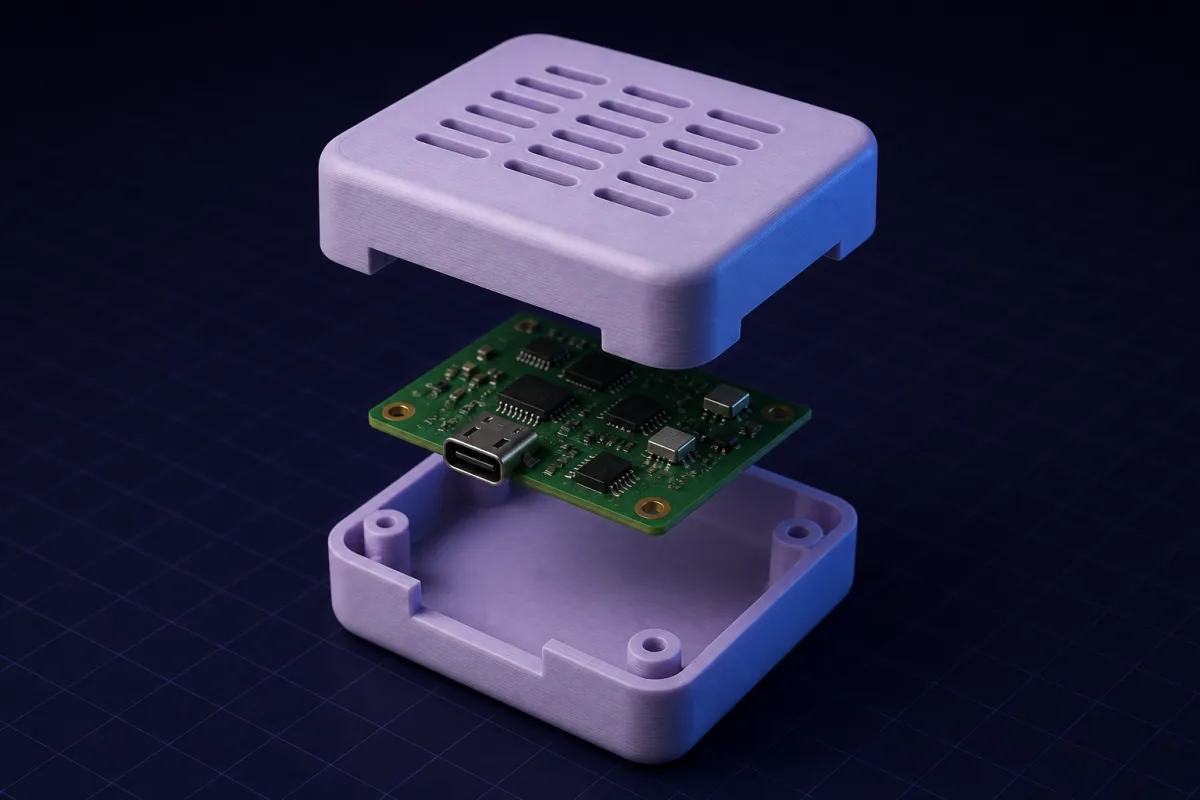
The part
An enclosure for an ESP32 sensor board, 58 x 28 mm, four 2.5 mm holes 3 mm from each corner, USB-C on a short side, an LED and a button on top, 9 mm tallest component. Two parts: base with standoffs, snap-fit lid with two holes. Vent slots on the long sides.
Desktop CAD: 2 hours 40 minutes
| Step | Time |
|---|---|
| New design, sketch the base outline with 1 mm clearance and 2 mm walls, extrude, shell | 14 min |
| Standoffs: sketch four circles at coordinates, extrude, add pin bosses | 11 min |
| USB-C cutout: sketch on the side face, position 4 mm above the floor, cut | 9 min |
| Lid: new body, match the base outline, lip for location | 18 min |
| Snap clips: look up interference for PLA, sketch a cantilever profile, extrude, mirror, then fix because the mirror plane was wrong | 31 min |
| Lid holes for LED and button at 15 and 40 mm | 7 min |
| Vent slots: rectangular pattern on both long sides, one side failed because the pattern hit a standoff | 22 min |
| Chamfer the base bottom edge, fillets on outer corners | 9 min |
| Realise the lid lip collides with the clips, edit the lip, re-check | 17 min |
| Arrange both bodies flat, export STL | 6 min |
| Check in the slicer, discover a 0.8 mm wall between a vent and a standoff, go back and move the vents | 16 min |
| Total | 2 h 40 min |
None of these steps is hard. There are simply a lot of them, and three of them were redoing earlier ones.
Describing it to the AI: 12 minutes
| Step | Time |
|---|---|
| Write the prompt (the whole spec in one paragraph) | 2 min |
| First render, read the assumption summary (2 mm walls, 0.2 mm clip interference, 3 mm standoffs, 0.5 mm base chamfer) | 1 min |
| "Add a 3 x 5 grid of 2 x 8 mm vent slots on each long side, away from the standoffs" | 1 min |
| Orbit, check the clip geometry, tap a face to confirm the internal height is 12 mm | 2 min |
| "Emboss SENSOR-01 on the lid, 1 mm high" | 1 min |
| Check the ghost to see only the text changed | 1 min |
| Download 3MF, open in the slicer | 2 min |
| Slicer check: walls all 2 mm, both parts flat, no supports needed | 2 min |
| Total | 12 min |
What the print revealed, both times
The USB-C cutout was 1 mm high on both models. That is a measurement error on the board, not a modelling error, and no tool prevents it. Fixing it in CAD: open the design, find the sketch, edit the dimension, re-export, 6 minutes. Fixing it in SpeakCAD: "lower the USB cutout by 1 mm", re-download free, 40 seconds.
What the 160 minutes bought
Nothing the 12 minutes did not. The two enclosures are functionally identical. The desktop version has slightly nicer fillets on the outer corners, because the user chose them by eye; the AI version could have had them for one more sentence.
The honest caveat
The desktop user was competent, not expert. An expert with a personal enclosure template might do this in 45 minutes. A beginner would not finish. The AI version takes 12 minutes for all three.
Prompts to start from
Open one in the builder, change the numbers to yours, and the model renders in your browser, usually within a minute or two. Keep adjusting in the chat before you print.A two-part enclosure for a 58 x 28 mm PCB with 2.5 mm holes 3 mm from each corner, 12 mm internal height, 2 mm walls, snap-fit lid, USB-C cutout centred on one short side 4 mm above the floor, a 5.5 mm LED hole and a 6.5 mm button hole on the lid at 15 mm and 40 mm from the left edge, standoffs 3 mm tall with 2.2 mm pins, a 3 x 5 grid of 2 x 8 mm vent slots on each long side, and SENSOR-01 embossed 1 mm high on the lid.
Questions
For a two-part box with standoffs, a snap lid, three cutouts and vents, a competent hobbyist took 2 hours 40 minutes in desktop CAD, including three rounds of rework. Describing the same enclosure to SpeakCAD took 12 minutes including edits and slicer checks.
No. Same dimensions, same fits, both printed without supports. The desktop version had hand-picked fillets; the AI version could have had them for one more sentence.
The same measurement error showed up in both. Fixing it took 6 minutes in CAD and 40 seconds in the chat, and the re-download was free.