MCP for 3D printing, explained: what ChatGPT and Claude can now do for your prints
MCP lets ChatGPT and Claude call outside tools. For 3D printing that means designing parts, slicing G-code and finding models from the chat. What works today.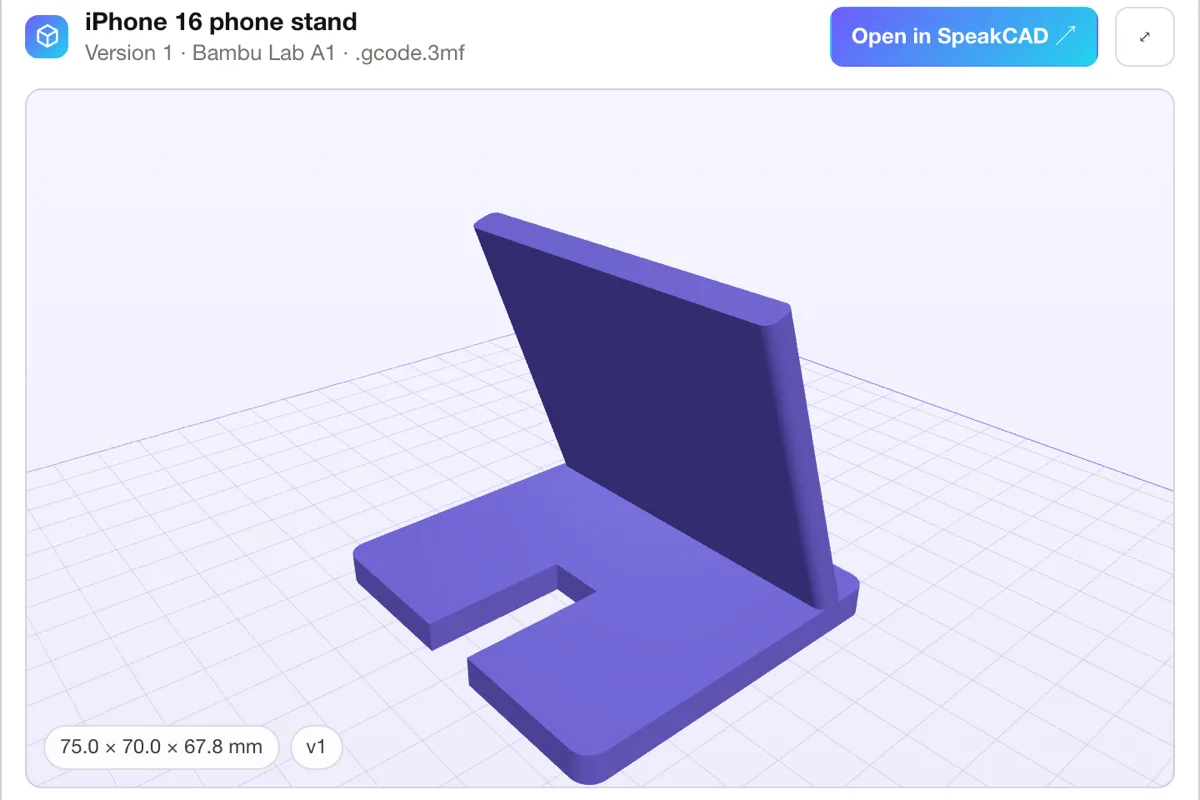
For years the answer to "can ChatGPT make me a 3D model?" was "it can describe one". That changed when assistants learned to call outside tools through MCP. Here is what MCP is, what it can do for a 3D printer owner today, and where the human still matters.
MCP in one paragraph
MCP, the Model Context Protocol, is an open standard for connecting AI assistants to outside tools. A tool maker runs an MCP server that lists its tools (each with a name, a description and the inputs it takes); the assistant reads that list and decides when to call one, the way it decides when to search the web. Anthropic published MCP in late 2024, and it is now how Claude's connectors and ChatGPT's plugins (called apps before mid-2026) talk to the outside world, along with coding tools such as Claude Code, Cursor and VS Code.
For you, it means one thing: the assistant you already talk to can now hand a job to a specialised tool and bring back the result.
What that means for 3D printing
Four kinds of tools matter to someone with a printer:
- Designing the part. The assistant gathers the measurements, a CAD tool builds the model, checks it for printing and exports the file. This is the step assistants could never do on their own: they can write OpenSCAD, not compile, look at or fix it.
- Slicing it. The assistant picks the printer profile and the settings with you; a slicer turns the model into G-code for that exact machine.
- Finding a model. Search a library or a model site from the chat instead of a browser tab.
- Driving the printer. Start a print, read the temperatures, watch progress. These servers usually run on your own network, next to the printer.
What it looks like with SpeakCAD
SpeakCAD covers the first two from one server:
- You ask: "Use SpeakCAD to design a wall mount for my router, 180 x 120 x 35 mm, cables out of the back, two screws 100 mm apart."
- The assistant calls create_part with the full description. SpeakCAD's own CAD AI designs the part in your SpeakCAD account in one to two minutes.
- The part appears in 3D in the chat, with its named dimensions as number fields. You type a new value (free) or ask for a change (edit_part).
- You ask for the file: download_part for an STL or 3MF, or find_printer and prepare_slice for G-code sliced with your printer's OrcaSlicer profile, among 380+ printers.
SpeakCAD works inside ChatGPT and Claude as a plugin (an MCP server): ask the assistant for a part with its measurements and SpeakCAD's own CAD AI designs it, shows it in 3D in the chat and hands over a print-ready STL, 3MF or G-code sliced for your printer. It is a plugin in ChatGPT, a connector in Claude, and the same MCP server in Claude Code, Cursor or VS Code.
Remote and local servers
- Remote servers live at a web address, like
https://speakcad.com/api/mcp. You paste the address (or pick the listing in the assistant's directory), sign in once, and it works everywhere your assistant does, phone included. Nothing to install. - Local servers run on your computer and drive a program installed there (a desktop CAD tool, a slicer) or a printer on your network. They need an assistant that runs on the same machine, such as Claude Desktop or Claude Code, and some setup.
Remote is the easy start. Local is for people who want the assistant to work their own desktop tools.
What stays your job
- Measure. The assistant cannot see the shelf, the pipe or the board. Callipers can.
- Check the render. Look at the part in 3D before you print it: the hole on the right side, the lid the right way up.
- Test the fit on something small. For a part that must mate with something, print a thin test slice first; SpeakCAD's Fit Check does exactly that and calibrates the clearances to your printer.
- Press print. Keep a human between a chat message and a heated nozzle. Assistants ask before a tool acts; leave those confirmations on for anything that spends money or moves a printer.
Plugins, apps, connectors, MCP servers
Same thing, four names. OpenAI says plugin, Claude says connector, developers say MCP server. When an article mentions any of them for 3D printing, the questions to ask are the same: what does it actually do (design, slice, search, drive the printer), does it need software on your computer, and who pays for what.
Try it
SpeakCAD for ChatGPT and SpeakCAD for Claude cover the set-up and the prices: connecting is free, and designs, changes and downloads spend your SpeakCAD credits as on the site (2 credits a request, 10 credits a download). For a broader look at what exists, see MCP servers for 3D printing and CAD.
Questions
A service that offers tools to AI assistants through the Model Context Protocol, an open standard. The assistant reads the list of tools and calls one when it fits the request: in 3D printing, designing a part, slicing it to G-code or searching for a model.
Not for a remote server: you add its address or its directory listing to ChatGPT or Claude and sign in. Local servers, which drive desktop software or a printer on your network, run on your computer and need a desktop assistant such as Claude Desktop or Claude Code.
Yes, with a CAD tool behind it. SpeakCAD works inside ChatGPT and Claude as a plugin (an MCP server): ask the assistant for a part with its measurements and SpeakCAD's own CAD AI designs it, shows it in 3D in the chat and hands over a print-ready STL, 3MF or G-code sliced for your printer.