1
Everyday fixes
iPhone 17 Pro Max MagSafe car vent mount
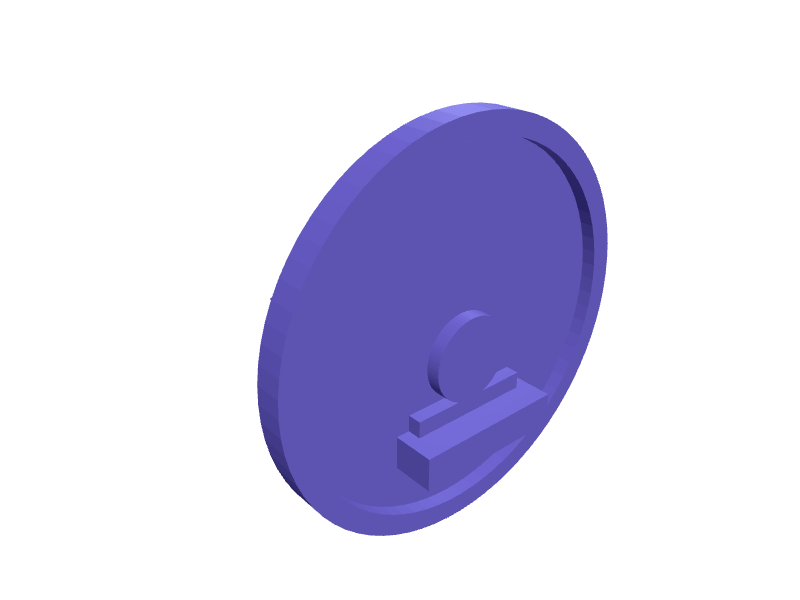
A clip-on car vent mount for an iPhone 17 Pro Max (about 163 × 78 × 8.8 mm) that hangs from a horizontal slat 8–14 mm thick. The MagSafe disc is 56 mm with magnet pockets and a 2 mm rubber-pad recess so the heavier Max does not peel off on rough roads. Two springy 18 mm jaws with 1.2 mm walls grab the slat, and a 15 degree downward tilt keeps Maps readable without blocking the camera bar. Print the jaws flat in PETG with 0.2 mm clearance at the hinge pin. Open the ready-made model free, resize it on your phone or computer, then download a print-ready STL, 3MF or G-code sliced for your printer, free.Opening the ready-made model and downloading it as STL or 3MF are free, no card; AI changes use credits, from Maker at $7.99 a month.No printer? We print this part and ship it to your door. See its priceUpdated
2
Adjust
Change its numbers in the viewer for free, or ask the AI in the chat: wall thickness, hole size, the thing it clips onto. AI changes use 2 credits per request (1 for a quick edit, 3 for a redesign), paid with a plan from Maker at $7.99 a month, where the first 3 small changes are free.3Print
Download a watertight STL or 3MF free, with your numbers and hand edits, or G-code sliced for your printer at the same price. After an AI change the download is included in every plan (4 credits without one).
Dimensions of the ready-made model (editable)
| Parameter | Value |
|---|---|
| magnetic disc diameter | 56 mm |
| overall disc thickness | 4 mm |
| recessed pad boundary diameter | 50 mm |
| pad recess depth | 2 mm |
| magnet pocket diameter | 6 mm |
| magnet pocket depth | 2 mm |
| ring radius for 6 magnets | 20 mm |
| min wall thickness | 1.2 mm |
| arm length from hinge to disc back | 22 mm |
| per-side clearance -> 0.4 total | 0.2 mm |
Example prompt
Create a MagSafe car vent mount for iPhone 17 Pro Max: 56 mm disc with six 6×2 mm magnet pockets and a 2 mm pad recess, two 18 mm jaws spanning 8 to 14 mm slats, 15 degree downward tilt, 1.2 mm PETG walls and a 4 mm hinge pin with 0.2 mm clearance.
Fit notes
Vent mounts modelled on an iPhone 15 Max sit the camera bar against the slat. In SpeakCAD you give the slat thickness and phone weight you care about, preview the clip in the browser, and download the STL.
Questions people ask about an iPhone 17 Pro Max MagSafe car vent mount
A clip-on car vent mount for an iPhone 17 Pro Max (about 163 × 78 × 8.8 mm) that hangs from a horizontal slat 8–14 mm thick. The MagSafe disc is 56 mm with magnet pockets and a 2 mm rubber-pad recess so the heavier Max does not peel off on rough roads. Two springy 18 mm jaws with 1.2 mm walls grab the slat, and a 15 degree downward tilt keeps Maps readable without blocking the camera bar. Print the jaws flat in PETG with 0.2 mm clearance at the hinge pin.
Click Open it free on this page and create a free account (no card): the ready-made model opens in your browser, on your phone or computer, nothing to install. Change its numbers in the viewer for free and download a watertight STL or 3MF free, or G-code sliced for your printer at the same price. An AI change in the chat uses 2 credits per request (3 for a redesign), and the download after it is included in every plan (4 credits without one). Start with Maker: 50 credits a month for $7.99, cancel anytime.
On this page: open the ready-made model free in a SpeakCAD account (no card), change any dimension in the viewer, then download the STL or 3MF free, or G-code sliced for your printer at the same price.
A shared STL is modelled for someone else's measurements. Here you open the ready-made model free, change it to your measurements in the viewer, then download a file sized for the part you actually own, free as STL or 3MF.
Yes. SpeakCAD slices the part on its servers with OrcaSlicer and your printer's official profile (380+ printers, including Bambu Lab, Prusa, Creality and Elegoo), and you download the G-code (a sliced .gcode.3mf for Bambu Lab printers). G-code sliced for your printer costs the same as the STL: included in every plan, free for a part you shaped by hand, 4 credits without a plan for a part with AI work in it. Pick your printer on the printers page to see its profile.
No. SpeakCAD runs in the browser on your phone or computer: the chat, the 3D engine and the live viewer load in the tab. The only file you download is the finished STL, 3MF or sliced G-code.
Print it your way
More everyday fixes
Shokz OpenSwim Pro goggle strap clipReady-made, opens free. A clip that parks Shokz OpenSwim Pro bone-conduction headphones (about 16 mm band) on a 12–20 mm swim-goggle strap so they do not slide during flip turns.Porsche Macan Electric armrest key trayReady-made, opens free. A felt-style tray that sits in a Macan Electric armrest bin for the key and sunglasses, 160 × 80 × 20 mm.AirTag house-key silent snap fobReady-made, opens free. A silent fob that holds an AirTag and a house key on a 6 mm ring without the rattle of Apple's plastic case.Dashboard key and sunglasses holderReady-made, opens free. Keys and sunglasses slide around a flat dash and end up under the seat.Snap cable wrap for charging cablesReady-made, opens free. Charging cables knot in a bag unless something holds the coil, and a rigid wrap works better than a velcro strap that sheds fluff.Leatherman Wave belt clip sheath holsterReady-made, opens free. A rigid kydex-style holster for the Leatherman Wave+, Charge or Surge that clips onto a 40 mm belt or a MOLLE column and lets the tool drop into your palm wi…