3D modelling on your phone: a real 3D model builder that runs in a mobile browser
No CAD tool works on a phone because a phone cannot do precise dragging. SpeakCAD skips that: describe the part, the AI does the geometry, the STL renders on screen.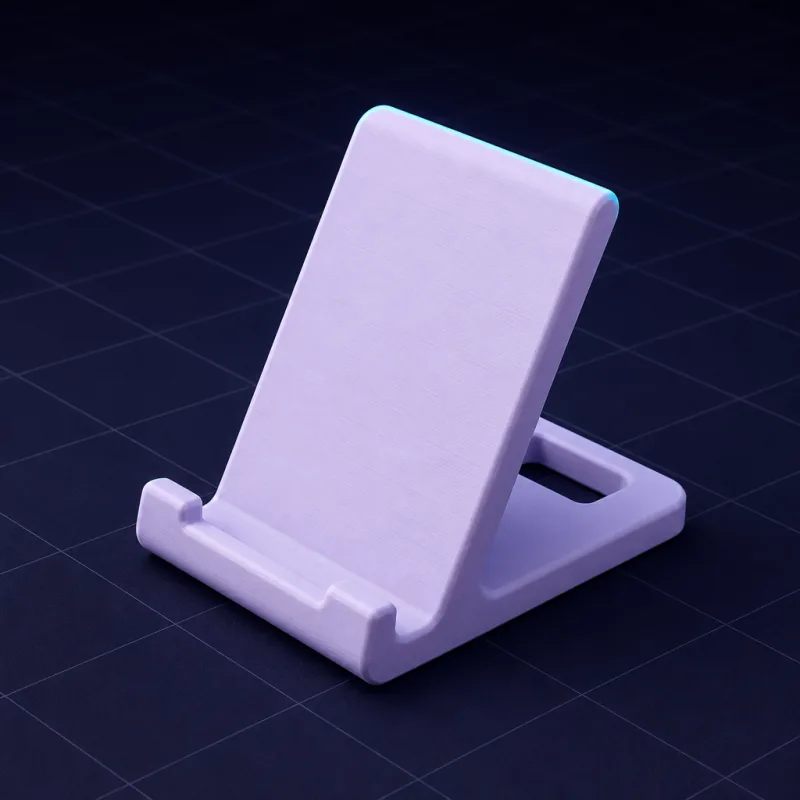
Why there is no CAD on your phone
Every CAD program is built on precise pointing: sketch a line, snap to a point, drag a handle, right-click a face. A fingertip is 10 mm wide and covers what it points at. That is why the few "3D apps" on phones are viewers, sculpting toys, or cut-down tablet versions that assume a stylus. Nobody has shipped a phone-first CAD tool because the input method does not fit the job.
SpeakCAD does not need precise pointing. You type what the part is. The AI writes the geometry as a parametric program, your phone compiles it (the OpenSCAD engine runs as WebAssembly right in the browser tab), and the model renders on screen. The one thing phones are good at, typing sentences, is the only input the tool needs.
What it is like on a phone
- Open the site in Safari or Chrome. No app store, no install, no account until you want to save a model. It works the same on iPhone, Android and iPad.
- Type the part. "A hook for a 25 mm strap, 40 mm deep, with two screw holes." Dictate it if you prefer.
- Watch it render. The model appears on a virtual print bed. Drag to orbit, pinch to zoom, tap a face to see its dimensions.
- Edit by chat. The chat sits in a sheet at the bottom of the screen; it retracts while the AI works so the model stays visible and slides back up when you want to type.
- Download the STL or 3MF and send it to your slicer through the share sheet, a cloud folder or your printer's app.
What you can build from a phone
Everything the desktop version builds, because it is the same tool. Brackets, enclosures, organizers, knobs, replacement parts, stands, cookie cutters, gears. The geometry is computed, not sketched, so the phone's small screen costs you nothing in precision.
The phone-only feature
Your phone has a camera. Photograph a broken part next to a ruler, top view and side view, say what it is, and SpeakCAD builds a parametric copy with the dimensions read from the ruler. Correct one measurement and the rest scales. On a desktop you would have to transfer photos first; on a phone it is one flow.
Is it the best 3D model editor on mobile?
For 3D printable parts, we think it is the only serious one, and here is the argument rather than the slogan: it produces exact dimensions, edits are precise and undoable, output is printable without repair, the model stays editable forever, and it runs in a mobile browser with no install. No sculpting app does the first four. No desktop CAD does the last one.
What you still need a bigger screen for
Going through a long list of dimensions, arranging twenty parts on a bed, comparing three designs side by side. Do those on a laptop when you have one. The model you started on the phone is in your account, unchanged.
Start on the phone you are holding
The link below opens the builder. Type one sentence and you will have your first render before you find your laptop charger.
Prompts to start from
Open one in the builder, change the numbers to yours, and the model renders in your browser, usually within a minute or two. Keep adjusting in the chat before you print.A hook for a 25 mm wide strap, 40 mm deep, 12 mm wide, 4 mm thick, with a flat back 50 x 30 mm and two 4.5 mm screw holes 30 mm apart.
A phone stand for a 78 mm wide phone at 60 degrees with a 12 mm cable slot underneath and a 2 mm lip at the front.
A cable clip for a 5 mm cable that sticks to a desk edge: a 20 x 20 mm base 2 mm thick with a C-shaped clip on top, 0.3 mm smaller than the cable.
Questions
No app is needed. SpeakCAD runs in Safari and Chrome on any phone. Add it to your home screen if you want an icon. Everything, including the 3D engine, runs inside the browser tab.
Yes. The model is generated from your description, rendered on the phone and exported as a watertight STL or 3MF. Send it to a slicer with the share sheet or a cloud folder.
The 3D engine and viewer run locally, but generating and editing need a connection for the AI. A poor mobile signal is enough: the messages are small and the geometry is computed on your phone.
As accurate as on a desktop, because dimensions come from your text, not from your finger. Ask for 62.4 mm and you get 62.4 mm.