1
Garden & outdoor
Tern GSD seatpost phone mount
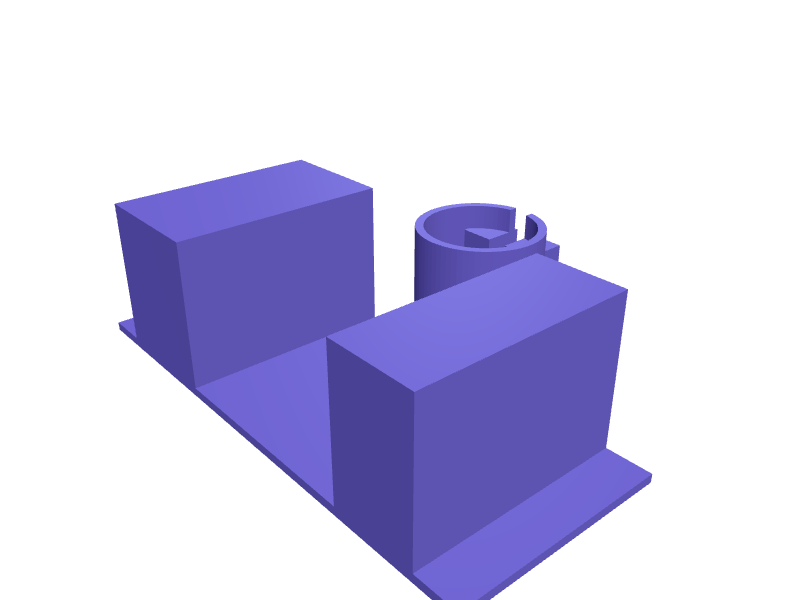
A mount that clamps a 30.9 mm GSD seatpost and holds a 70–85 mm phone for the rear-facing kid cam. Print in PETG with an M5 pinch. Open the ready-made model free, resize it on your phone or computer, then download a print-ready STL, 3MF or G-code sliced for your printer, free.Opening the ready-made model and downloading it as STL or 3MF are free, no card; AI changes use credits, from Maker at $7.99 a month.No printer? We print this part and ship it to your door. See its priceUpdated
2
Adjust
Change its numbers in the viewer for free, or ask the AI in the chat: wall thickness, hole size, the thing it clips onto. AI changes use 2 credits per request (1 for a quick edit, 3 for a redesign), paid with a plan from Maker at $7.99 a month, where the first 3 small changes are free.3Print
Download a watertight STL or 3MF free, with your numbers and hand edits, or G-code sliced for your printer at the same price. After an AI change the download is included in every plan (4 credits without one).
Dimensions of the ready-made model (editable)
| Parameter | Value |
|---|---|
| Wall thickness | 2.4 mm |
| Seatpost diameter | 30.9 mm |
| Clamp ring height | 35 mm |
| M5 clearance hole | 5.3 mm |
| M5 nut width (for trap pocket) | 8.8 mm |
| Nut trap depth | 4 mm |
| Minimum phone well width | 70 mm |
| Maximum phone well width | 85 mm |
| Cradle depth (front to back) | 60 mm |
| Retaining lip height | 6 mm |
| Clearance around seatpost | 0.3 mm |
Example prompt
Design a GSD seatpost phone mount, 30.9 mm clamp, 70–85 mm phone well, M5 pinch, 2.4 mm PETG.
Fit notes
A handlebar mount is in the kid's way. In SpeakCAD you measure the post, preview the mount in the browser, then download the STL.
Questions people ask about a Tern GSD seatpost phone mount
A mount that clamps a 30.9 mm GSD seatpost and holds a 70–85 mm phone for the rear-facing kid cam. Print in PETG with an M5 pinch.
Click Open it free on this page and create a free account (no card): the ready-made model opens in your browser, on your phone or computer, nothing to install. Change its numbers in the viewer for free and download a watertight STL or 3MF free, or G-code sliced for your printer at the same price. An AI change in the chat uses 2 credits per request (3 for a redesign), and the download after it is included in every plan (4 credits without one). Start with Maker: 50 credits a month for $7.99, cancel anytime.
On this page: open the ready-made model free in a SpeakCAD account (no card), change any dimension in the viewer, then download the STL or 3MF free, or G-code sliced for your printer at the same price.
A shared STL is modelled for someone else's measurements. Here you open the ready-made model free, change it to your measurements in the viewer, then download a file sized for the part you actually own, free as STL or 3MF.
Yes. SpeakCAD slices the part on its servers with OrcaSlicer and your printer's official profile (380+ printers, including Bambu Lab, Prusa, Creality and Elegoo), and you download the G-code (a sliced .gcode.3mf for Bambu Lab printers). G-code sliced for your printer costs the same as the STL: included in every plan, free for a part you shaped by hand, 4 credits without a plan for a part with AI work in it. Pick your printer on the printers page to see its profile.
No. SpeakCAD runs in the browser on your phone or computer: the chat, the 3D engine and the live viewer load in the tab. The only file you download is the finished STL, 3MF or sliced G-code.
Print it your way
More garden & outdoor
Outdoor tap frost coverReady-made, opens free. A frozen outside tap can split the pipe behind the wall, and a snug cover traps air around it through winter.Bee hotel nesting block insertReady-made, opens free. Solitary bees pollinate a garden all season and need only a block of tunnels to nest.Specialized Levo SL bottle-cage adapterReady-made, opens free. An adapter that moves a bottle cage 20 mm off a Levo SL downtube so a 750 ml bottle clears the motor.Garmin Edge 1050 out-front mount 31.8 mmReady-made, opens free. An out-front mount for an Edge 1050 on a 31.8 mm bar with the quarter-turn head and a 20 mm GoPro boss underneath.Jetboil Flash 2.0 pot-support ringReady-made, opens free. A ring that lets a Flash 2.0 hold a non-Jetboil 1 L pot, 110 mm ID with three 8 mm tabs.Self-watering pot insert with wickReady-made, opens free. A self-watering insert sits inside a standard pot and lets a wick draw water up from a reservoir, so plants stay hydrated during a week away.