1
Adapters & couplers
DJI Mini 4 Pro landing gear extensions clip-on
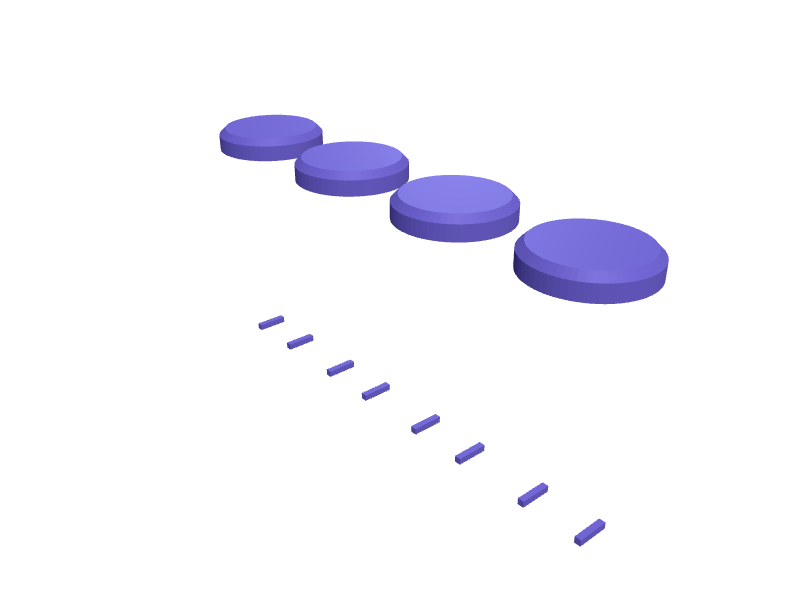
A set of four clip-on leg extensions for the DJI Mini 4 Pro and Mini 3 Pro that raise the airframe 35 mm so the downward vision sensors and gimbal stay out of long grass, wet sand and gravel on take-off. The Mini's front arms are roughly 12 x 10 mm and the rear arms slightly slimmer, so each clip has a matching channel with 0.3 mm clearance and 1.2 mm flexible lips that snap on and off without tools, and a flared 20 mm foot with a 45 degree chamfer to stop it sinking into soft ground. Each extension weighs about 2 g, keeping the drone under the 249 g limit. Print them upright in PETG with 1.6 mm walls; TPU also works for the lips. Open the ready-made model free, resize it on your phone or computer, then download a print-ready STL, 3MF or G-code sliced for your printer, free.Opening the ready-made model and downloading it as STL or 3MF are free, no card; AI changes use credits, from Maker at $7.99 a month.No printer? We print this part and ship it to your door. See its priceUpdated
2
Adjust
Change its numbers in the viewer for free, or ask the AI in the chat: wall thickness, hole size, the thing it clips onto. AI changes use 2 credits per request (1 for a quick edit, 3 for a redesign), paid with a plan from Maker at $7.99 a month.3Print
Download a watertight STL or 3MF free, with your numbers and hand edits, or G-code sliced for your printer at the same price. After an AI change the download is included in every plan (4 credits without one).
Dimensions of the ready-made model (editable)
| Parameter | Value |
|---|---|
| stock leg channel width | 12.3 mm |
| stock leg channel depth | 10.3 mm |
| clearance | 0.3 mm |
| wall thickness | 1.6 mm |
| snap lip protrusion depth into channel | 1.2 mm |
| snap lip vertical thickness | 1.2 mm |
| how deep the socket goes to grip the leg | 14 mm |
| extension leg length below socket | 35 mm |
| foot disc diameter | 20 mm |
| foot disc height | 4 mm |
| foot chamfer size | 1.2 mm |
Example prompt
Design four clip-on landing gear extensions for a DJI Mini 4 Pro, each with a 12.3 x 10.3 mm channel and 0.3 mm clearance, 1.2 mm snap lips, a 35 mm leg tapering to a 20 mm diameter chamfered foot, 1.6 mm walls, hollow core to weigh under 2.5 g each.
Fit notes
Arm profiles change between drone generations, and a download for the Mini 2 will not snap on. Give SpeakCAD your arm cross-sections, preview the legs in the browser, adjust the lip tension in the chat and download the STL.
Questions people ask about a DJI Mini 4 Pro landing gear extensions clip-on
A set of four clip-on leg extensions for the DJI Mini 4 Pro and Mini 3 Pro that raise the airframe 35 mm so the downward vision sensors and gimbal stay out of long grass, wet sand and gravel on take-off. The Mini's front arms are roughly 12 x 10 mm and the rear arms slightly slimmer, so each clip has a matching channel with 0.3 mm clearance and 1.2 mm flexible lips that snap on and off without tools, and a flared 20 mm foot with a 45 degree chamfer to stop it sinking into soft ground. Each extension weighs about 2 g, keeping the drone under the 249 g limit. Print them upright in PETG with 1.6 mm walls; TPU also works for the lips.
Click Open it free on this page and create a free account (no card): the ready-made model opens in your browser, on your phone or computer, nothing to install. Change its numbers in the viewer for free and download a watertight STL or 3MF free, or G-code sliced for your printer at the same price. An AI change in the chat uses 2 credits per request (3 for a redesign), and the download after it is included in every plan (4 credits without one). Start with Maker: 50 credits a month for $7.99, cancel anytime.
On this page: open the ready-made model free in a SpeakCAD account (no card), change any dimension in the viewer, then download the STL or 3MF free, or G-code sliced for your printer at the same price.
A shared STL is modelled for someone else's measurements. Here you open the ready-made model free, change it to your measurements in the viewer, then download a file sized for the part you actually own, free as STL or 3MF.
Yes. SpeakCAD slices the part on its servers with OrcaSlicer and your printer's official profile (380+ printers, including Bambu Lab, Prusa, Creality and Elegoo), and you download the G-code (a sliced .gcode.3mf for Bambu Lab printers). G-code sliced for your printer costs the same as the STL: included in every plan, free for a part you shaped by hand, 4 credits without a plan for a part with AI work in it. Pick your printer on the printers page to see its profile.
No. SpeakCAD runs in the browser on your phone or computer: the chat, the 3D engine and the live viewer load in the tab. The only file you download is the finished STL, 3MF or sliced G-code.
Print it your way
More adapters & couplers
MagSafe charger puck to 1/4-20 tripod mount adapterReady-made, opens free. A holder that turns an Apple MagSafe charger puck (56 mm diameter, about 5.5 mm thick) into a magnetic tripod head, so an iPhone 16 Pro snaps onto any tripod…Shelly 1 Mini Gen3 DIN rail adapter clipReady-made, opens free. A clip that mounts a Shelly 1 Mini Gen3 relay onto a standard 35 mm top-hat DIN rail inside a consumer unit or junction box.Dyson V11 wand to 32 mm standard vacuum tool adapterReady-made, opens free. An adapter that clicks onto the wand or motor body of a Dyson V11, V10 or V15 and presents a standard 32 mm spigot so universal crevice tools, brush heads an…Godox V1 flash foot stand with 1/4 inch threadReady-made, opens free. A replacement mini stand for a Godox V1, V860III or TT685 speedlight that has lost the plastic foot it shipped with.JOBY GorillaPod 3K phone saddleReady-made, opens free. A saddle that puts a 70–85 mm phone on a GorillaPod 3K ball head with a 1/4-20 insert.Broom handle thread adapter for a mismatched headReady-made, opens free. A short adapter that lets a threaded broom or mop head screw onto a handle with a different thread, saving a perfectly good pole when the head is replaced.